First 3D Carve using Carveco Maker.

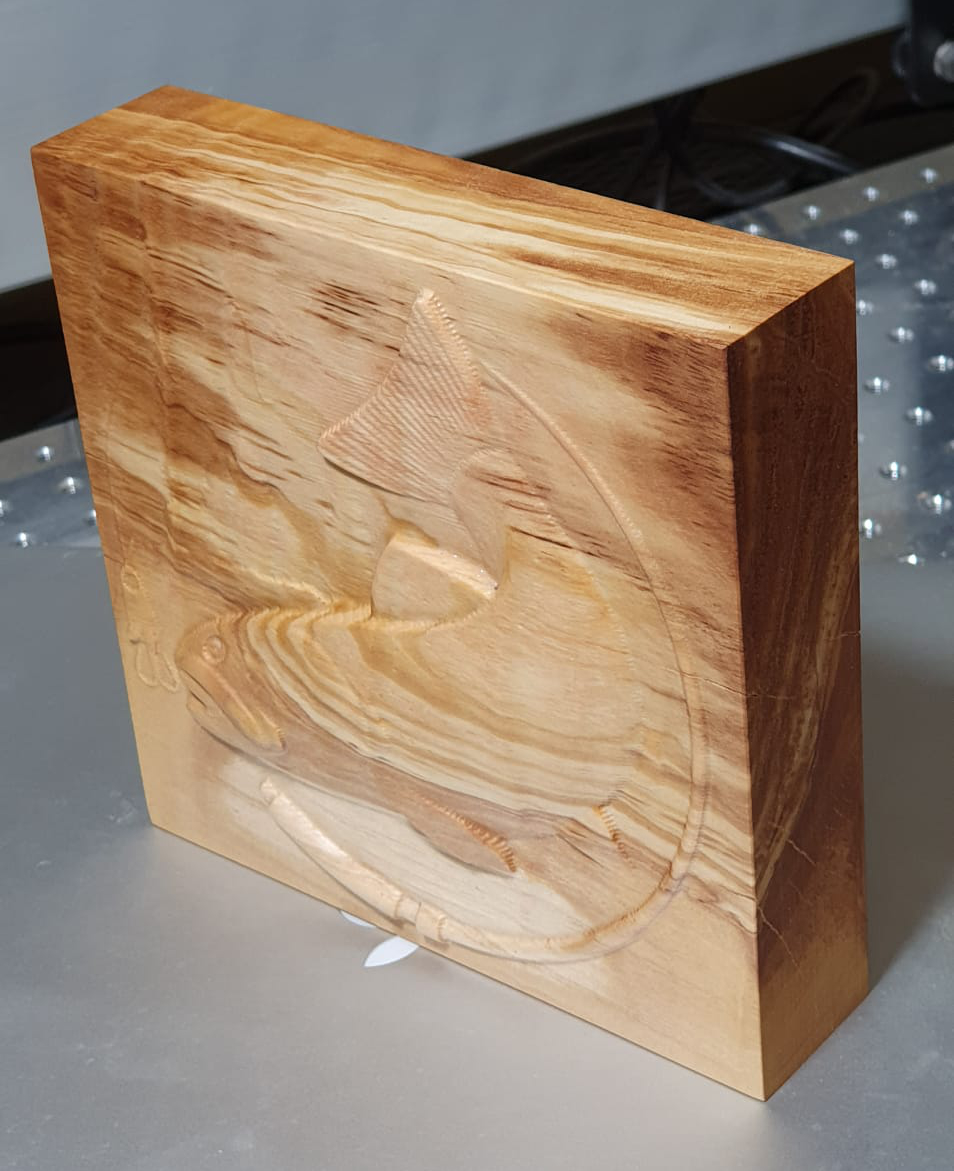
I have posted this so it can draw the proper critique. This was my first start to finish 3D carve in Carveco Maker. I used my five free credits at CNC clipart to download the image and carve it. I had a 150 x 150mm (6 x 6") scrap block of olive wood, which I love for its highly figured grain and its distinctive scent.
The design was carved with a single rough pass with an allowance of 0.25mm (0.0098"). This pass removed waste material from around the central motif to a depth of 7.5mm (0.29") and also some of the fish was also shaped by the 3.175mm (1/8") uncoated carbide square ended endmill. It was set to step down every .5mm (0.019") and the stepover was set to 40% while the router was set to 15,000RPM. The roughing pass required almost 2 hours.
The finishing pass was completed with a single raster pass of a 1.587mm (1/16") ball ended 2 flute uncoated carbide cutter. The allowance was set 0.25mm (0.0098") and the step over was set to 40%. The stepdown parameter was not set because the program was run on my standard sized Shapeoko SO3, which has a tool length measurement device. The router was set to 15,000 RPM. The finishing pass required 45 minutes.
Overall... it is ok for a first attempt but I would have liked to remove more of the fine lines from the finishing pass. Maybe an X/Y pass would do that. I think the wood looks nice finished to a hand sanded 1500 grit and wiped with a beeswax and walnut oil cream. Probably plain wood may have drawn more attention to the roughness of the finish.
All constructive commentary welcomed and appreciated.


Comments
very nice i cant even start to to come close to this .
Nice work
Please sign in to leave a comment.