Answered
trying to mill an image, and something is not right

I have done it before but now for some reason I do not succeed
I use maker
I have this image, I want to mill it from wood to the depth of 21mm
My endmill is 3mm
I know it will create a frame around it.
But when I start milling the machine goes in and out from one static hole and in any case it looks strange as Gcode
I tried fluting and profile
I attach the Gcode it created
https://www.dropbox.com/s/kqpw59ony8hxztq/modigliani.gcode?dl=0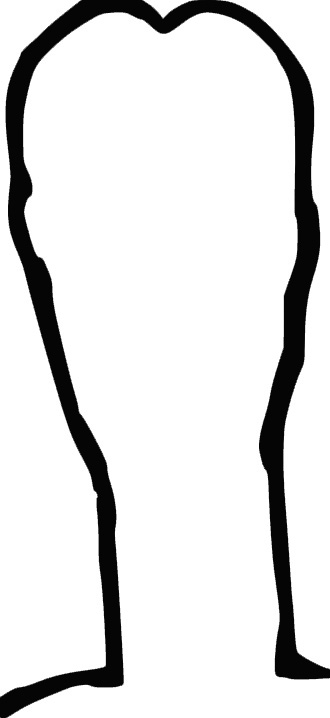
Comments
Hi Roni Segoly,
Please share your Carveco Model file (*.art). In addition, please confirm the exact name of the post processor option you're selecting from the Save Toolpaths dialog's Machine file format list when saving your calculated toolpaths from Carveco Maker.
Thanks for your time and consideration.
thanks
here it is
https://www.dropbox.com/s/7e57x21o8bqdxm0/mod1.gcode?dl=0
https://www.dropbox.com/s/3ehnw9j403qg5dg/mod1.art?dl=0
Hi Roni Segoly,
There is nothing in your supplied mod1.art model other than a floating relief (identified by it being shown in blue within the 3D View), which explains why your calculated Fluting toolpath does not yield your expected results.
Click the floating relief in your model, press the T key on your keyboard to display the Tool Settings: Transform panel, and then click the Paste button at the bottom of the Tool Settings: Transform panel. You should then create a Machine Relief toolpath.
This issue indicates that you've yet to complete the Carveco Fundamentals training course available on our company website. Please complete the training course to avoid issues such as this again in the future.
Thanks again for your time and cooperation.
I have been using Carveco Maker for quite some time and am comfortable with it
I opened a new project
Imported this image changed size and centered
https://www.dropbox.com/s/yuv8dtbxr0en7ij/path40.jpg?dl=0
https://www.dropbox.com/s/ybh9s14eimrxfhd/Screenshot%202021-09-02%2021.59.23.png?dl=0
I chose fluting tool
chose depth (21mm) and chose tool (3mm)
Calculated
https://www.dropbox.com/s/zulhmf07q26l5g0/Screenshot%202021-09-02%2022.02.13.png?dl=0
Opened Simulator
https://www.dropbox.com/s/lux7bqejhzjzbsu/Screenshot%202021-09-02%2022.02.51.png?dl=0
Only the frame is visible
I attached the Gcode to previous message
Hi Roni Segoly,
Your supplied Screenshot 2021-09-02 22.02.13.png screenshot shows a floating relief, so there is nothing in the model other than its associated vector boundary to base a toolpath on. Looking at your supplied Screenshot 2021-09-02 22.02.51.png screenshot, it would seem that your Fluting toolpath is making use of the vector boundary associated with the floating relief in your model.
Please watch the following demonstration videos included in our Carveco Fundamentals training course:
Thanks again for your time and consideration.
I managed
I imported the image as vector (SVG)
Thanks
Hi Roni Segoly,
You could not have imported your path40.jpg file into your model using the Vector > Import menu option; you would've encountered an error message, as it is an image file saved in JPG format, not a vector file saved in SVG format.
Rather, we expect that you selected the Relief > Import > Import menu option to display the Relief Import dialog box, selected your path40.jpg file, and then clicked Open.
Thanks again for your time and consideration.
I know
I converted it to SVG using another tool
Did you paste the baby down??
mike
Please sign in to leave a comment.