Answered
Shape editor not simulating

Last week the shape editor was working fine. Now It will not simulate.
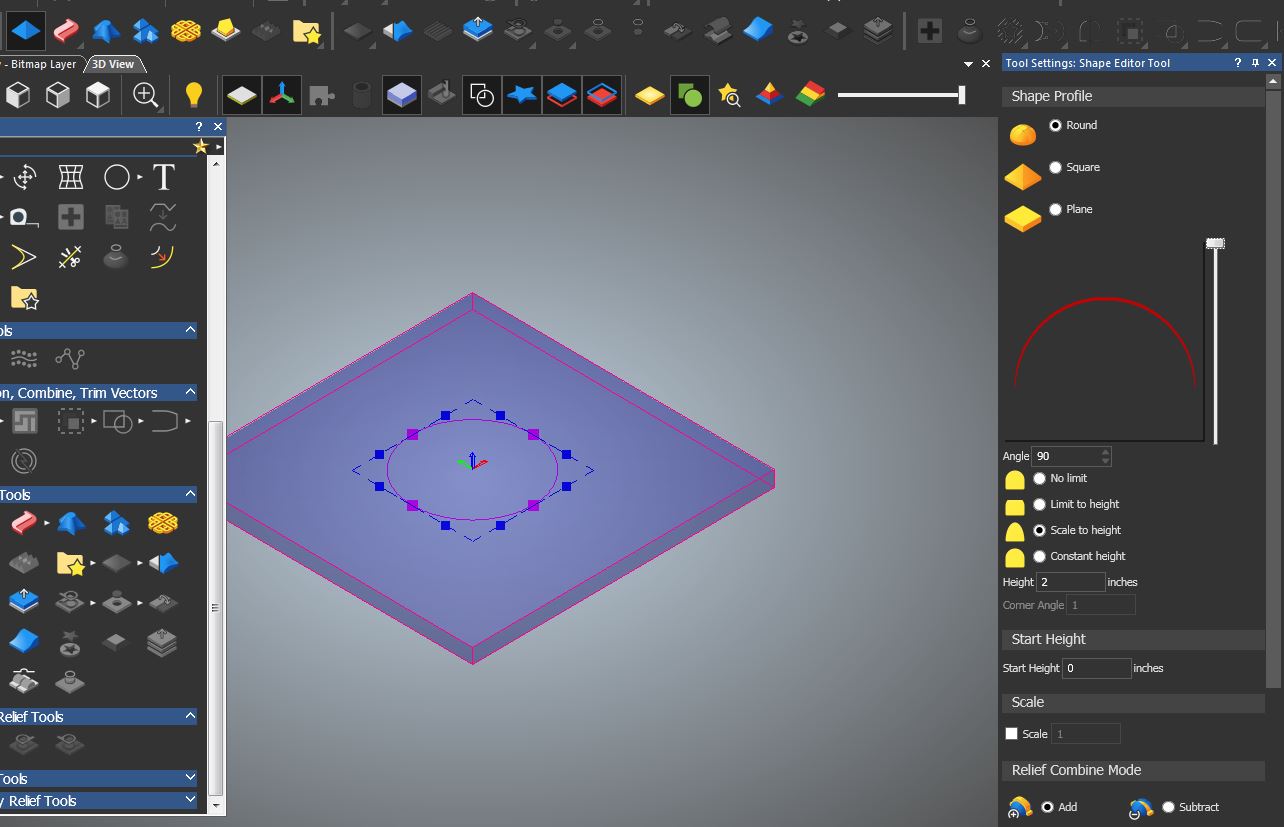
Last week the shape editor was working fine. Now It will not simulate.
Comments
2 icons on the right past the vector visibility icon is one that is for the visibility of the front relief try clicking it.
mike
Hi Mike,
Thanks for the response.
I tried toggling it on and off but it does nothing.
How about the here'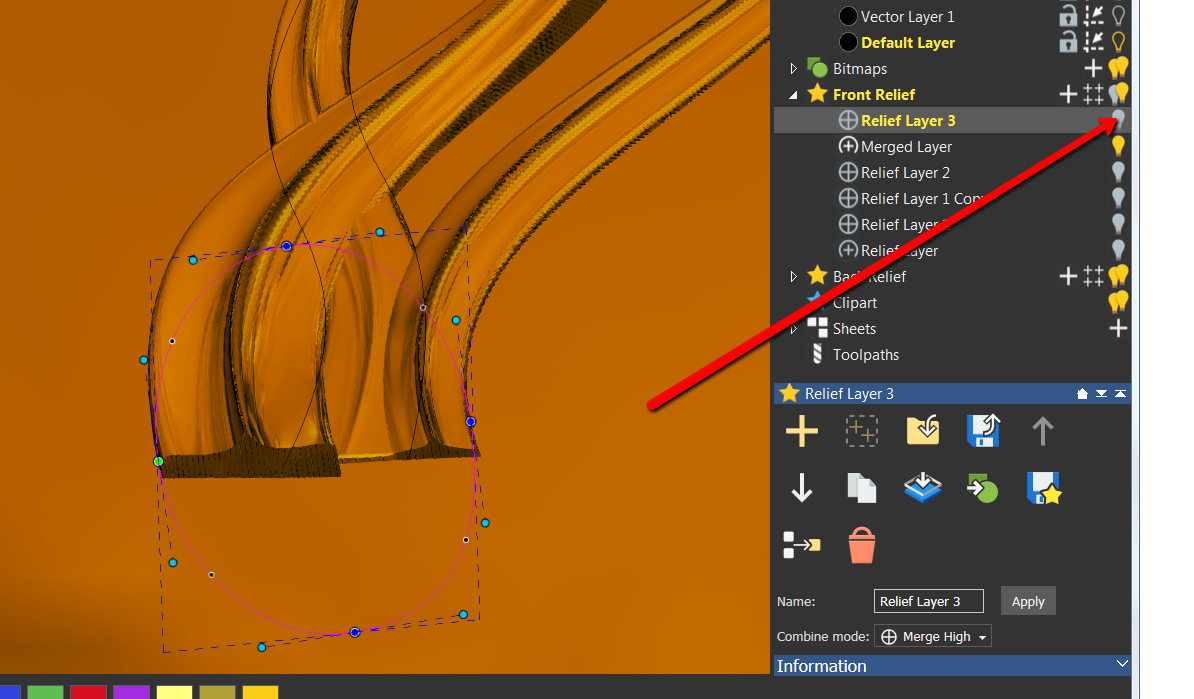
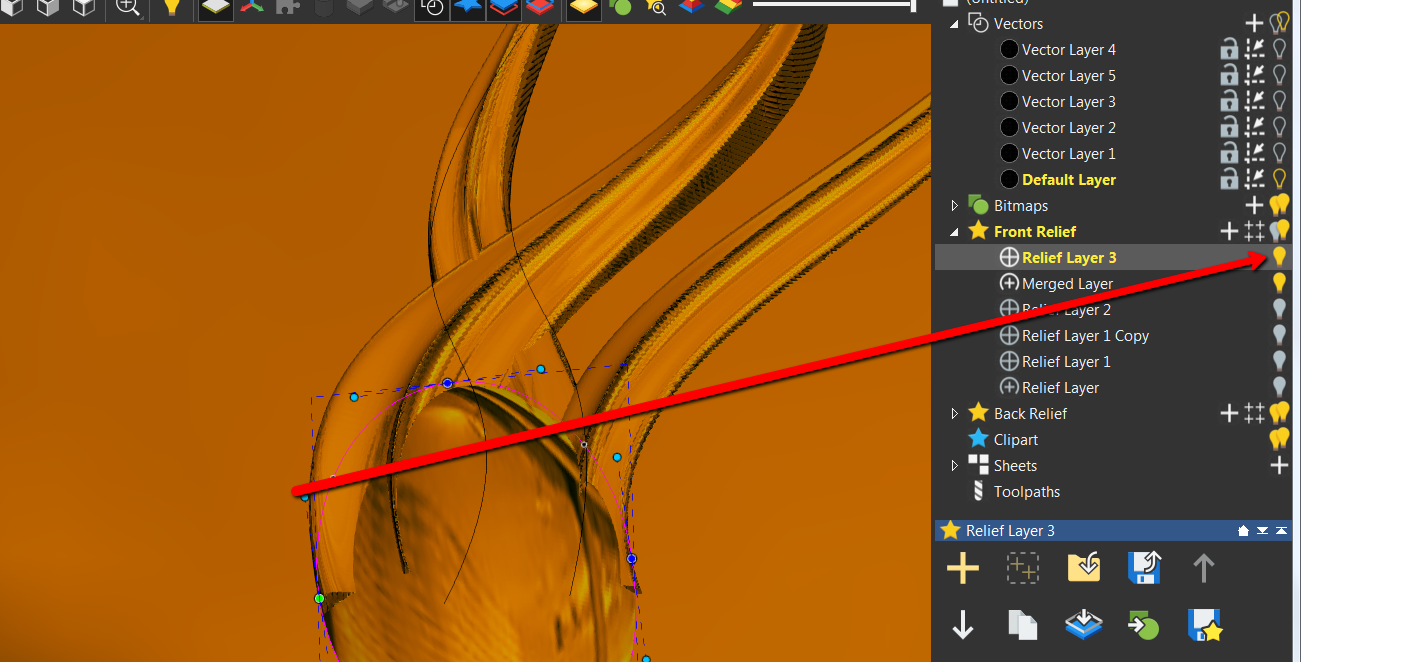 s 2 photos that light is it on??
Those nodes on the circle look a bit strange, they should look like this:
What happens if you import some relief clipart?
OK, go to objects to draw, there you will have the option to show different stuff, click every thing (highlight everything in blue this is what you need to do))))))))))))
wow this had me going for a bit, my how things look when we unclick something then forget what we did, don't know how I know this (been there done that).
hope this is what your after, was driving me bonkers.
here's a pick to show what to look for
mike
Brian,
Did my suggestion workout for you??
mike
Hi Mike,
Thanks so much for all your help.
Turns out my 4k t.v. might be to much for the graphics card.
I hooked up a 1080p screen and it works now.
The material box is red using the 1080p screen and it simulates in 3d mode now.
Still doesn't explain why it was working last week and not this week but at this point I need to get the job done.
Thanks again!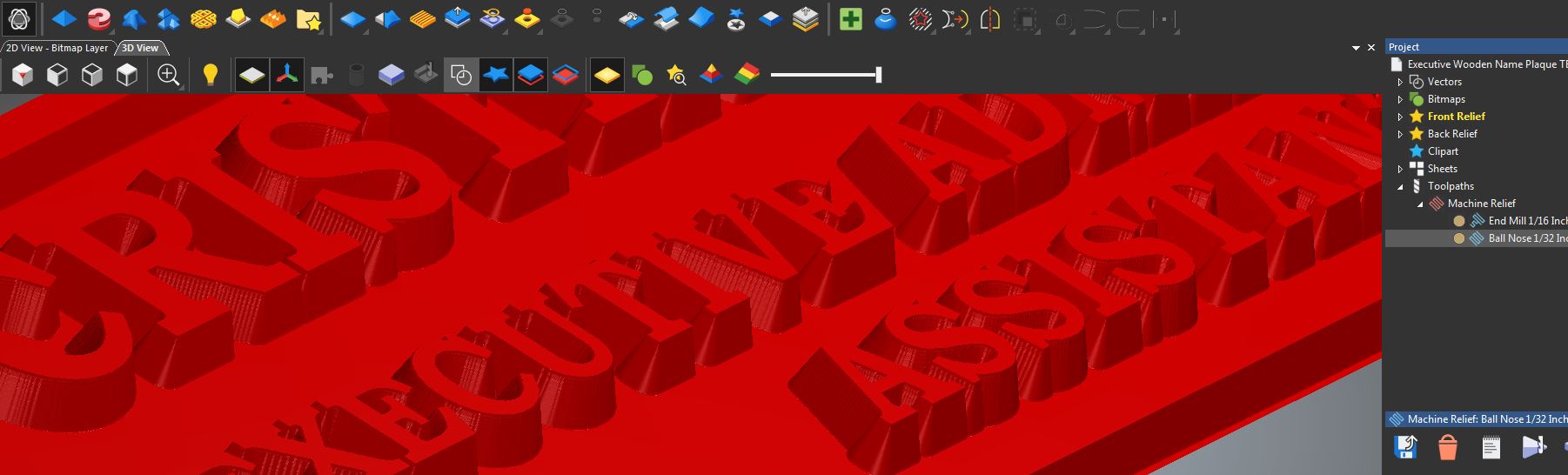
I need a new pc, I just put a new video card in and I keep getting blue screens then the thing just shuts down, right now I save ever 5 or 10 minutes, I can still model in carveco but those sudden shut downs are starting to drive me nuts, don't have the bucks yet for a new pc so it's a wait and see for now, once this thing dies guess it'll be ahhh scream freak out dirty word.......... so I know about pc troubles.
take care
mike
Mike, why don't you put the old card back in? Was there a problem with it? Let us know a bit more about your situation (OS system, ram, are you running anything else at the same time you are modeling, etc) and maybe we can figure out (aside possibly from the card itself) what the problem is. Oh ya, how old is your PC?
Barry,
The old card, couldn't up date the drivers, I kept getting freezes pc would just hang there, finally I had red and blue streaks across the screen, well it was time to get a new card, now a year, maybe more later I"m thinking that it's time to get a new computer. It really is too funny at the time of me getting the new video card I had an excess of free money, that sort of got spent, now it's the planning and waiting stage. Life is full of these, fun at times to look back on some of them, just get to shake my head and say should have....................hahahaha.
mike
Mike, how much ram do you have, it could be that its a bad ram stick, this can cause the problem you are experiencing. Computers are complicated so we do tend to jump to a new PC rather than explore and fix problems. In this case Mr Google can be your friend if you ask him for help. How old is your PC? I am using a PC I bought in 2013 (Win 7) 12 gigs of ram, original card, and its running fine. Had a few issues over the years but managed to resolve them by doing some trouble shooting. What have you got to lose.
this pc is about 10 to 12 years old, so I kind of think she's coming to the end of the line, her life's span is almost completed, she has been my love in learning Artcam (my wife's words) Hahahahaha.
mike
Please sign in to leave a comment.