Vector Subtraction Issue

If I create 2 vectors (say 2 boxes) such that one is entirely contained inside the other, then selecting the vectors and doing vector subtract doesn't do anything. How can I create a vector that is inside the outer vector and outside the inner vector?
Comments
You can area clear the area the area between the two, by selecting both vectors.
Are you trying to create a vector centered between the two? to do that, do a bitmap "fill" of the area, then create a "centerline" trace of the bitmap. There is not a function to create a vector centered between two vectors, but there is a function to create a centerline vector of a bitmap.
Ashwind,
In using the vector tools in this regard the vectors have to touch in order for there to be a subtract. It might be beneficial if you would give a picture of what you are trying to do, this way there wouldn't be any guess on others answer, this is so you could get the right advice to help you.
mike
ps here are some photo to guide you as far as my guess of what you are asking (by the way what variant of Carveco are you using, another way for help to be given so as to not lead you astray.
to position or trim vectors in Carveco Pro
the vector tools in Carveco Pro.
2 vectors one inside of the other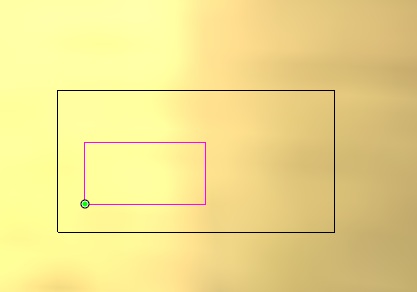
Ashwind,
To make vectors inside other vectors all you have to do is make the shape using tools give, again in the Pro, I know there are restriction in Maker and Maker Plus so this is why I stated in order to get good answers we have to know.
mike
Ashwind,
This is what it would look like if you were to tilt inside vector so it touched the outside vector an use the "Explode vector tool"
mike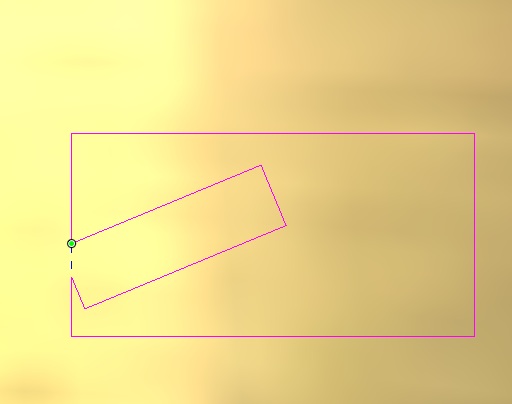
Please sign in to leave a comment.