Corner Cleanout with V-Bit

I am making cabinet doors with a 45 degree inside profile and am using a v-bit plunged to full depth to achieve this on a profile toolpath. As you may already know, this results in round corners. I discovered that other software has an option for sharp inside and sharp outside corners which will automatically generate a toolpath in the corner that raises and moves the v-bit up into the corner to sharpen it. Maker does NOT appear to have this option.
In my attempts to resolve this I experimented with the V-Bit Carving toolpath. Much to my surprise, if I make a vector in a rectangle shape that is exactly as wide as the diameter of the v-bit it will AUTOMATICALLY sharpen the corners with the v-bit. I am confused as to why this feature is available for this type of toolpath but is not available for profile toolpaths where a corner is encountered.
In order to make my cabinet doors I'm left with creating two rectangle vectors separated by the diameter of the v-bit. If I do this the groove is carved properly but the corners seem to be cutting too deep and leave marks there. additionally, the tool does 2 passes even though the depth of plunge is more than the actual depth and does not improve the groove at all. It seems that the second pass is what messes up the corners and leaves a slightly deeper cut into the corner as compared to the rest of the toolpath.
Is there another (better) way to make this groove work, and is there any way to make this work on a profile toolpath? Assuming there is not, is there a way to request this as a feature? I would guess it's very simple to implement as it's already done for v-bit carving and should be relatively easy to add to profile toolpaths.
Comments
Anyone?
Need clarification.
Are you after this?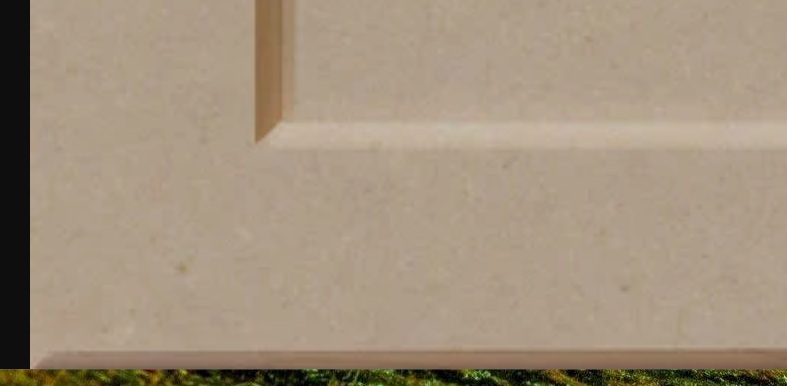
If you are then the "V-bit carving toolpath" is what you want to use, you'll need to clean out the inside with a larger bit then use the 45 for the finish,
The thing is you'll still need to make 2 vectors one the outside of the door and the inside to give the appearance of a raised panel.
mike
Ps, I saw this yesterday but didn't have the time to respond.
Or you, if you were making a panel with just a v-grove with sharp corners us the same toolpath 2 times with 4 rectangles like I did here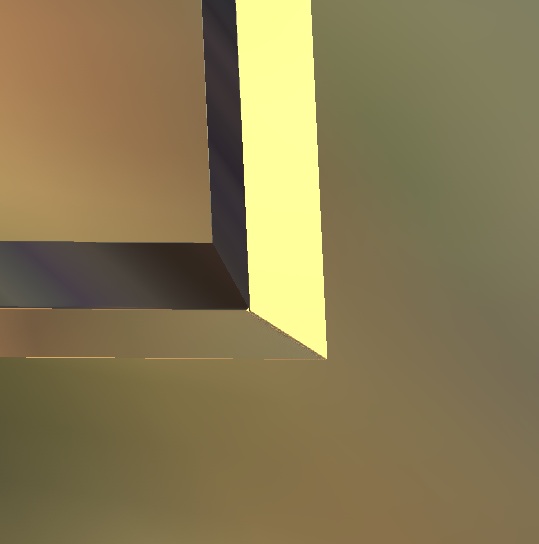
Please sign in to leave a comment.