MULTIPLE DXF EXPORT

Hi there everyone,
I was wondering if there is any setting I'm missing, regarding multiple DXF export. Meaning, having lots of Vector layers and need to export them all at once, but in separate files. I tried selecting a few and Export as .dxf, but only one file was exported, containing all vectors selected, keeping however each layer's color. So far, I just export all layers one by one... but it would be great if there was a way to export separate files, as sometimes there are more than 200 or 400 layers 😵💫
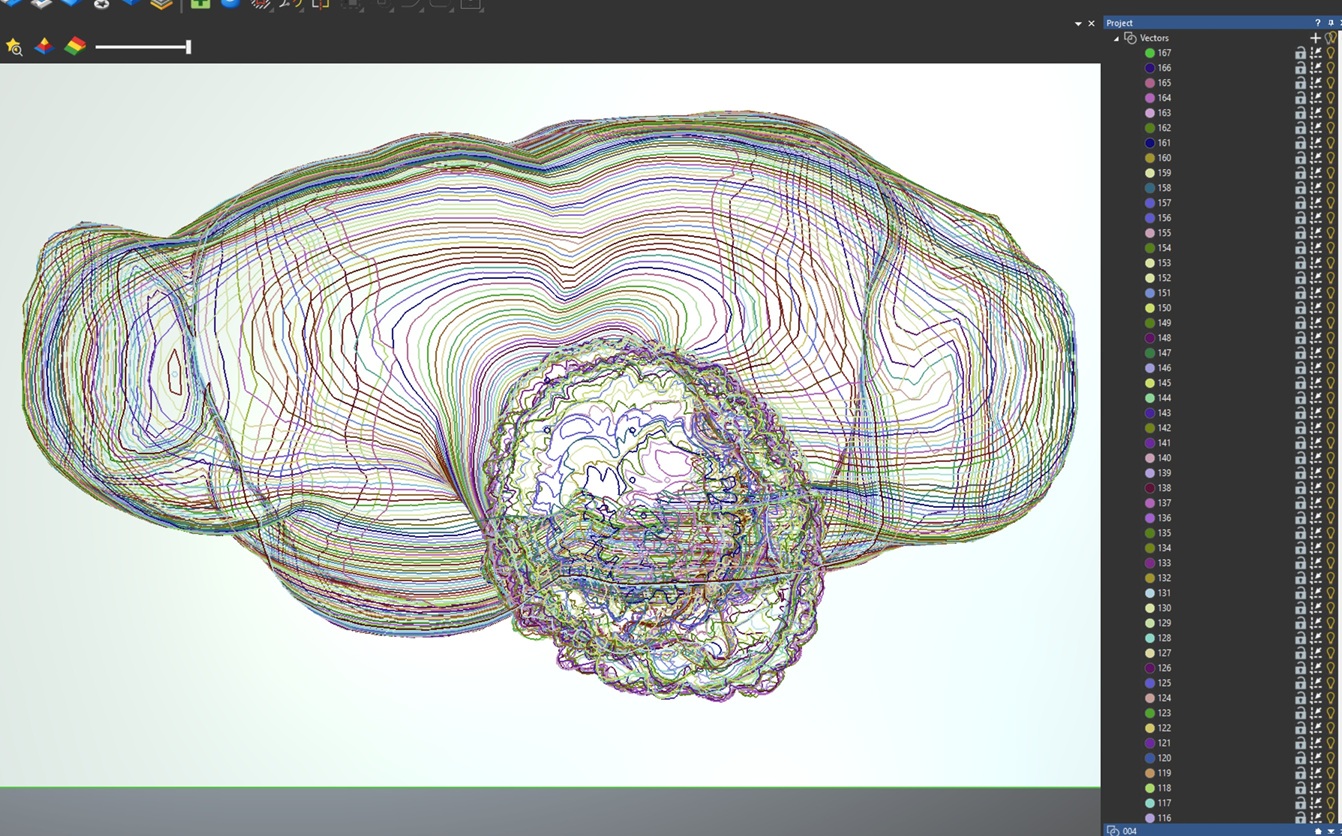
Any suggestions?
Elina.
Comments
Elina,
I have never had the need, so I played with a file I have that has 10 layers and haven't found any such tool. I haven't found a need to export vector multiple layer, not my work but it might be for someone else. Might be useful, instead of what I do now, I open 2 seasons of Carveco and do a copy and paste, could save a bit of a headache if you could save all the layers in a file.
You might make a suggestion for an improvement. The development team might pick it up.
mike
ps. I was sort of amazed at your work, actually blown away would be the correct term.
Hi Mike,
Thanks for your time to make a test.. also thank you for the positive feedback :)
Truth is, I do have a list of suggestions for possible improvements, minor stuff that could make the designing/modeling procedure easier and faster. However, I am not sure where I can post them since there is not a relevant topic. Should I just create a post under General Discussion?
In addition, I have the feeling that most of the software's use (hence the improvements/fixes) are regarding the machining features, and not that much the designing features. That's why I haven't posted anything relevant... I think I will be talking to myself :(
Thanks again Mike! You're always there to give answers, keep up the good work!
Elina.
Elina,
https://support.carveco.com/hc/en-gb/community/topics/360000710332-Feature-Discussion
I have put a few requests in, like to add to the angle plane tool add a convex and a concave shape shape, this would be so cool, right now I do that in another layer and change the size of the shape to get what I want, so far no go.
Also I asked that we could add the angled plane tool to the cookie cutter, we right now have to add the shape to a layer then use the angled plane tool, time, time, time
I have been thinking of asking that we could add a color inside of a vector on one layer then another color to another part of the vector, this would help speed up the sculpting like mad, now I have to add a color do sculpting inside of the color then wipe that color off and put a new color in to another part, it would be cool if we just had to change layers to sculpt under different colors.
Everything I would and have asked for doesn't seem to come out in a clear enough fashion I guess to be understood (hahaha, I bad I guess)
Well I wish you the best.
mike
Ah yes, there is a Feature Discussion topic as well! I will look for your requests.. and maybe add a few ideas. Then at least we can have a dialogue :) There are so many ideas to share!
Talk again.. thanks!
Please sign in to leave a comment.