Advice cleaning out corners

I'm trying to carve out some simple text on a 1/4" thick piece of wood for some ski signs. This is my first time doing a project like this so please forgive me if I'm doing something obviously wrong.
I have a text vector with two toolpaths, an area clear with an end-mill 1/16", and a profile with a 1/8" 60* v-bit. I'm using the profile of the v-bit because I want to round the edges.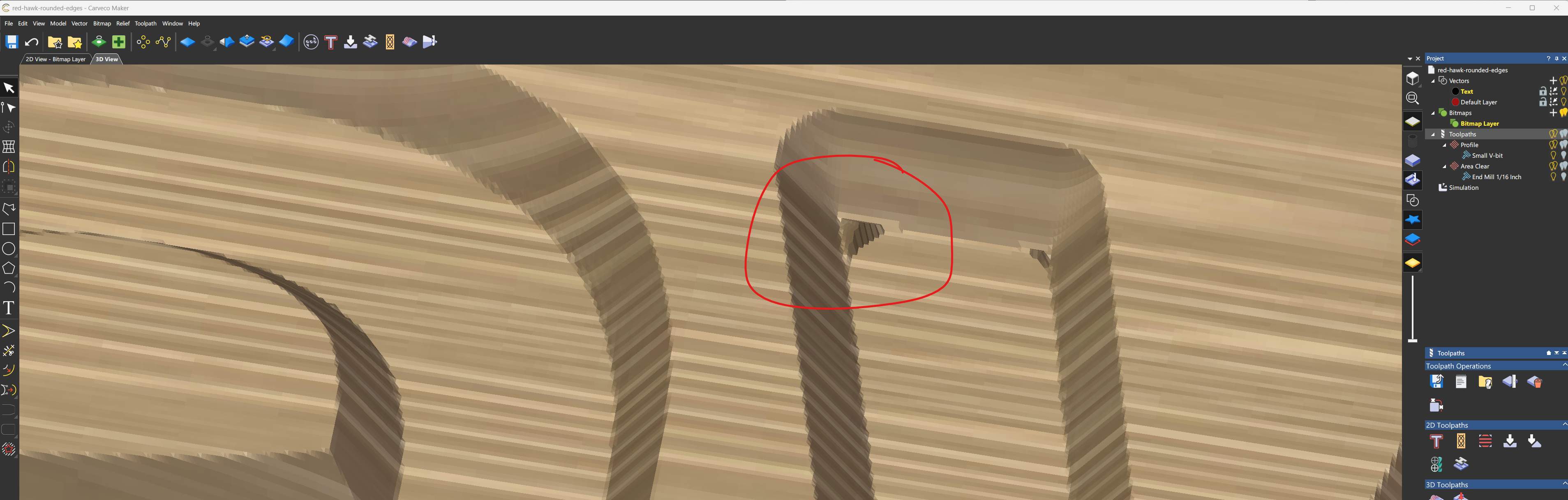
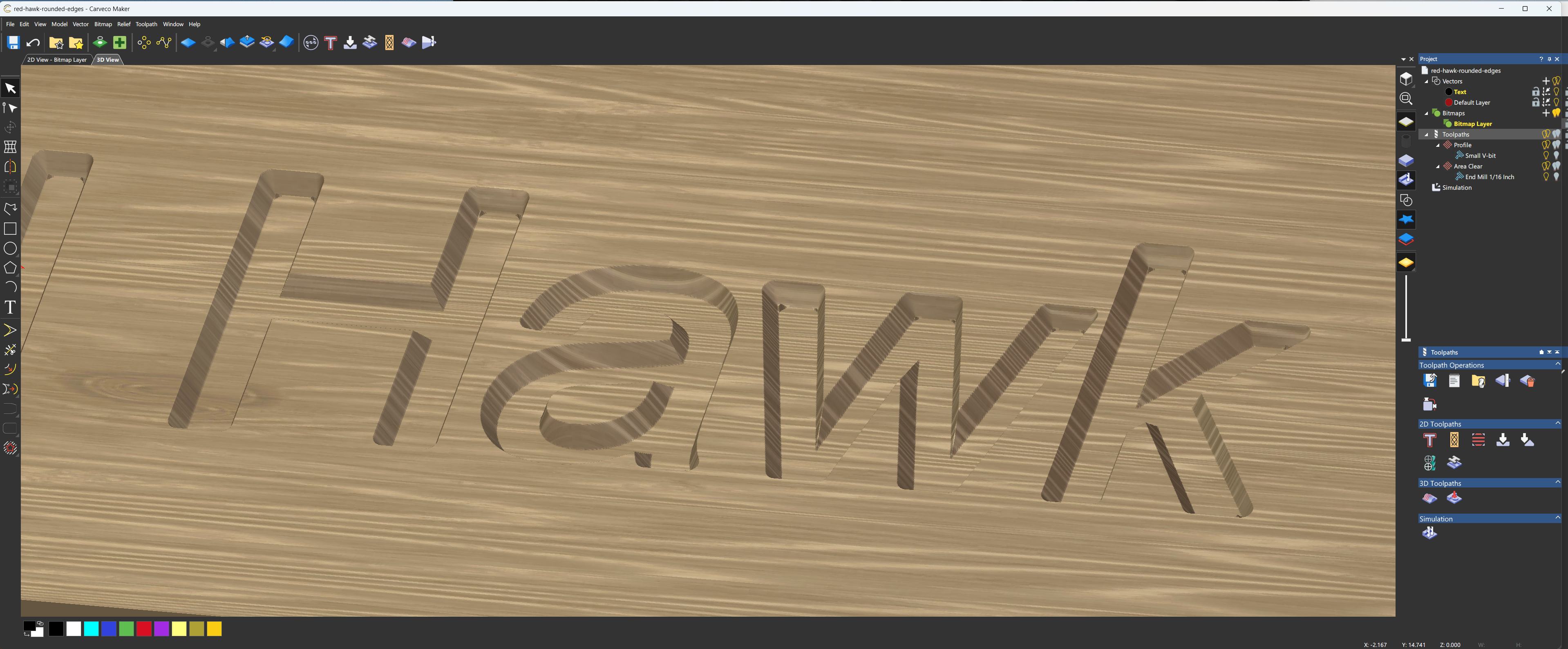
I got this mostly working, but there's these annoying little pieces of material left in the tricky corners of the text. If anyone has advice for how to do this better I'd be very happy to hear it!
Comments
What toolpath did you use?
mike
Hi Mike,
I used a 'profile' toolpath with a 1/8" 60deg v-bit, set to 'along' the vector. Then a second area clear with an end-mill 1/16".
Alex,
If you don't mind what's the font, I want to give it a try too. Size would be great also.
Usually if I'm going to give some angled cuts I'd use the the v-bit toolpath or in my case I'd also try the smart engraving toolpath, your choice seemed like a good one, but you got the knobbies, if I got those I'd probably get out some chisels. They usually aren't that big and I think they wouldn't show much. Like I said I'd like to give it a try.
mike
Please sign in to leave a comment.