Background color

On one laptop with the latest version downloaded. I can start a new job where the background is grey. On the other laptop with the newest version I can't. How do I change that
On one laptop with the latest version downloaded. I can start a new job where the background is grey. On the other laptop with the newest version I can't. How do I change that
Comments
In your "lights and Material" setup have the thing open on both computers and have everything be the same.
mike
Hi Mike,
How do I get to lights and material? I know where the material set up is at.
Thanks.
There are 2 areas I always go to after an update, even windows (they are kind of notorious for crap they do to your computer with their updates).
I do believe if you look at the lights and material page is what you are after, I like to have my models shinny so I can sculpt them to make sure there are no spikes or blemishes that would cause me more problems in the future when I go to use them.
mike
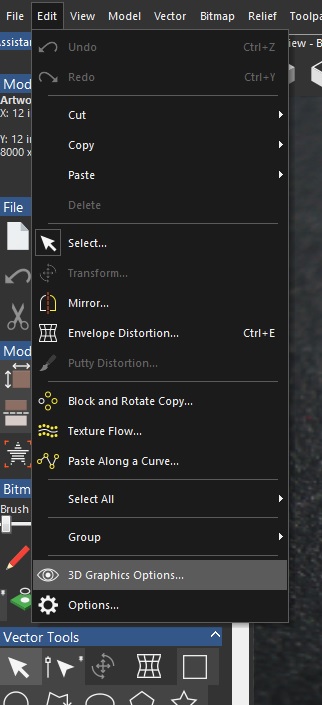
Hi Mike,
This is what I have.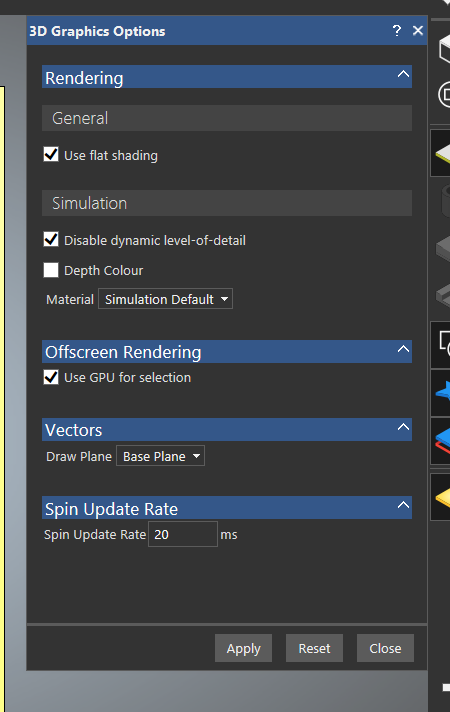
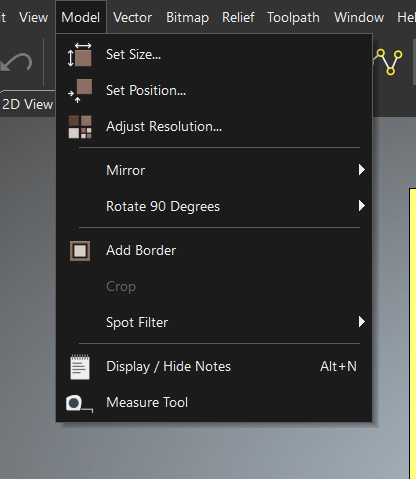
Sorry, I deleted some shortcuts on my desktop, I didn't realize you had that limited too, sorry my bad. this is what (if you had it) it should look like. For me this is found in (menu bar) "model" all the way down to "lights and material setup", I go there to change the look of things.
I should get those shortcut back, nothing worse than getting some bad directions from a cop (he/she should know, right?), or in this case someone who should know.
Again sorry about that.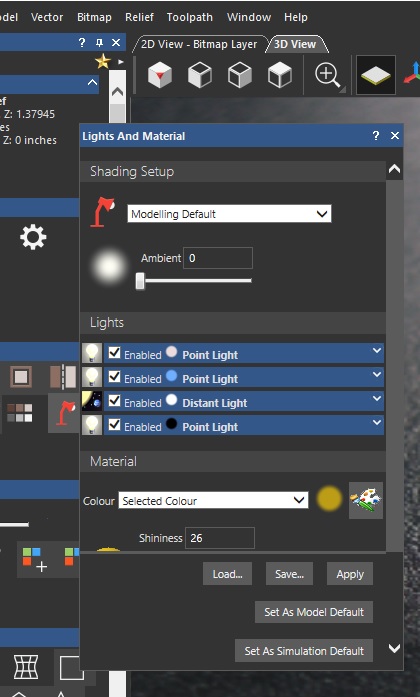
mike
Is there a way I can get it without paying more for my subscription?
Thanks.
Rick
Rick,
Have you tried in the "3D Graphics Options" there you have "simulation" have you tried that, I just finished so I can play with maker and maker plus, I saw this, so I had to ask, plus on the rt. side of it is a sliding bar up and down try using that.
Must say I am working with an old windows 8 upgraded to 10 and it is getting slower by leaps and bounds, it ain't what it used to be, I say this to let you know I've tried it but nothing changes on my computer but might on yours.
mike
Mike,
I tried those the first go around. I am going to call Carveco, because it looks like I'm having other issues because everything is slow in responding and I have a new laptop with graphics specifically so that I can do this stuff.
Rick
Oh that sucks, I really never pay too much attention to the color and stuff like that, if I have a color that helps me to model and helps me to see where I can improve my work I stick with that. The issue you are having helped me to see some of the other colors and stuff (some are rather cool looking) but I'm going to stick with my gold color (it's great when I need control with my sculpting).
Hope you find what you need.
I've been using Artcam now Carveco for a long time, I can model just about anything (though I'd still have to have my hand held when I ever get into the 4 th axis, or modeling in the round).
mike
MIke,
Thanks for trying. Good luck with your projects.
Rick
Please sign in to leave a comment.