Relief carving tolerance too small or other problem

I keep getting this error message when attempting to calculate a toolpath in Carveco Maker.
I have messed with the tolerances up to .1 inch and nothing seems to make it happy.
What am I missing?
I keep getting this error message when attempting to calculate a toolpath in Carveco Maker.
I have messed with the tolerances up to .1 inch and nothing seems to make it happy.
What am I missing?
Comments
I am having the same exact issue. I keep getting the following warning message:
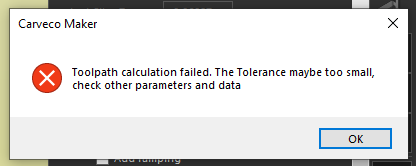
Yes, it's maddening. I have tried so many different settings. I'm attempting to carve a relief of starved rock state park IL. Prob not going to happen till I get some pointers as I have exhausted all my ideas.
What do your vectors look like, I assume you are toolpathing inside of the vectors? What happens if you were to make a new vector, with the fewer nodes, would it do the same thing? I have said many times over the years the fewest node give the best finish, it allows your cnc to cut faster (without all the jerking caused by a bazillion nodes). In your modeling, what are your tolerances? I use standard measurements (inches) in my models I use the highest pixel count, in my toolaths I have and will only use .001 of an inch for my tolerances, this has always worked for me and give great results.
In answering concerns a photo will always help get the best help with the fewest words, this way we don't have to guess or assume a scenario that might not help. You can take a screen shot, in windows on your keyboard there is a key that says "PRINT SCREEN", then windows has this program (oops, app) called "paint" where you can paste the print screen then edit it to cut the size down so you can make your point, I use it all the time.
mike
Hi Kathy Rutherford,
Unfortunately, we cannot find any record of your name or your email address in our customer database. Therefore, please select the Help > About Carveco menu option in your Carveco software to display the About box, and confirm the most recent Order Number shown there when replying in this discussion.
Please watch both of the following demonstration videos available from our Carveco Training portal:
Just as suggested by Michael Sherve, please capture and share screenshots of your toolpath settings when replying in this discussion, else we cannot investigate your reported toolpath calculation issue. If you're not familiar with capturing screenshots, please review the following Microsoft support article: Use Snipping Tool to capture screenshots
In addition, please share your Carveco Model file (.art) here by uploading it through the free WeTransfer service using its Get transfer link option, and then posting the generated link here as part of your reply. You don't need to create an account with WeTransfer to generate links to uploaded files.
Thanks again for your time and cooperation.
Hello. I am Kathy. This is my actual license account.
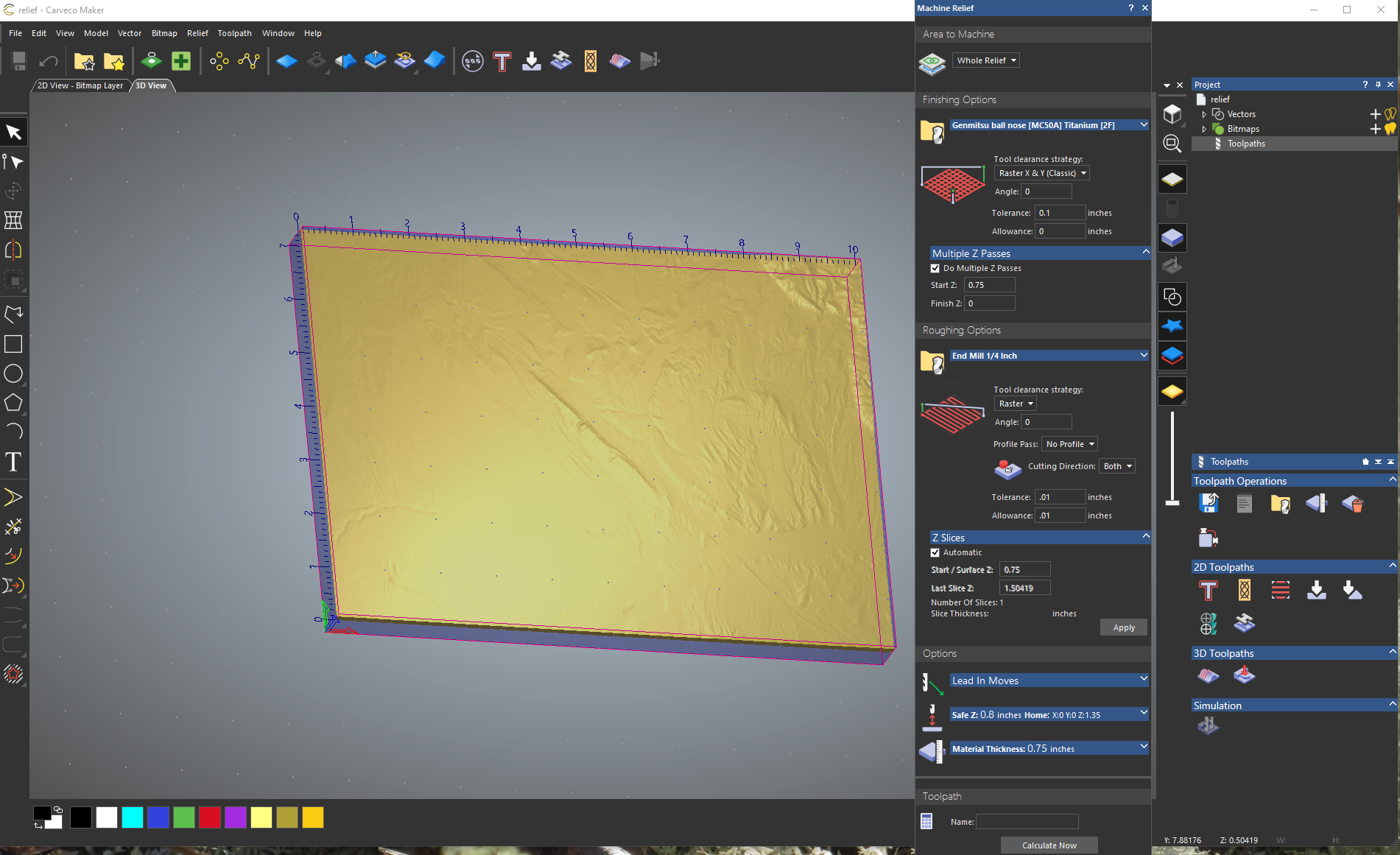
This is the screenshot of the model with the toolpath settings:
Hi Courtney Rutherford,
Many thanks for capturing and sharing the screenshot of your Machine Relief toolpath settings.
Please change the Tolerance in both the Finishing Options and Roughing Options settings to 0.001", deselect the Do Multiple Z Passes check box, change both the Safe Z and Home Z values to 0.2", then re-calculate your Machine Relief toolpath. Please confirm your results when replying in this discussion.
As previously requested, please share your Carveco Model file named relief.art here by uploading it through the free WeTransfer service using its Get transfer link option, and then posting the generated link here as part of your reply.
Thanks once again for your time and cooperation.
Well thank you very much Carveco Support person.
I have a usable toolpath now. looks like i dont understand the idea of multiple Z passes. I cannot set the safe Z to .2 as my machine is a bit backwards. that position would be halfway into the material.
ive done a few dozen carvings on my lil genmitstu 4040pro. saving for a bigger machine. but that is the way this machine is set up.
I am not sure where this wetransfer service link is. i looked it up and it wants me to register. not sure i want to do that at this moment.
Please sign in to leave a comment.