Answered
Cutting a different sized slot the same thickness as the material

I have an SVG that is of a ukulele stand that is for 1/4 inch ply. I want to use 20mm thick wood. The file exists here: https://drive.google.com/file/d/1ESsY8o2WawS4fPa-KnDcRzVA9Ve21Oxt/view?usp=sharing. I don't know how to import to Carveco Maker and modify it. Can you guide?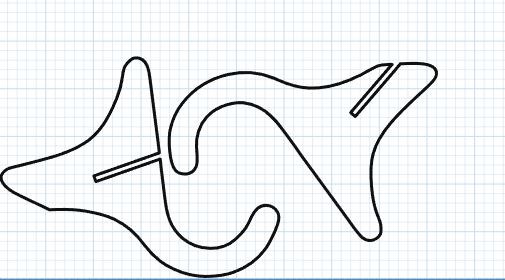
Comments
Hi Joe Loyzaga,
To import your instrumentstand1quarterinch.svg file into an open model within Carveco Maker, select the Vector > Import menu option.
Please watch both of the following demonstration videos available from our Carveco Training portal:
Thanks for your time and consideration.
Please sign in to leave a comment.