Answered

material not visible in 3D view
Permanently deleted user
This is strange and i feel dumb, like i'm missing something obvious. I cannot view any relief, or even the zero plane while modeling. I think I have all the appropriate buttons set correctly....front relief, back relief, draw zero plane, display material, and all objects to draw set properly, but no model is showing up on my screen. I have opened an older model and even thou i cannot see it, i can tell its there as i watch the z height show elevation as i move the cursor around. vectors are visible and all the bulbs in the project window are on. My head is ready to explode.....any help much appreciated
Comments
Hey Bob, besides being stunned how is everything?
Here is a little post to read that might help you https://support.carveco.com/hc/en-gb/community/posts/4404574378129-New-Install
I know you don't have a new install but it might help.
mike
Hi Bob,
With your model open, please try clicking the Draw Zero Plane, Toggle Material Block Visibility, Toggle Front Relief and Display Material buttons on the 3D View toolbar, as one or more of them would seem to be deselected at present.
Thanks for your time and consideration.
Thank You,
I believe I have all buttons set correctly..........that said, the Material Block Visibility is grayed out and there is no action on that. I do have Carveco on another computer and the Material Block Vis is grayed out on that as well....both the shortcut and the menu option for 3D visibility. And the model is visible on the that computer. It is a backup and not my preferred workstation. I very much appreciate the help.
Mike, I'm getting to the age (70) that gets me thinking about shifting my attention to my dogs .... we have 6.
I have also uninstalled and reinstalled from from a previously saved .exe file without any luck. Iv been running Carveco on this super-duper Lenovo Yoga computer for a year or more without a hitch
Hi Bob,
If the Toggle Material Block Visibility button is greyed-out in your open model, then you have not yet specified the material settings by selecting the Toolpath > Material Setup menu option.
Please try selecting the Window > Reset Workspace menu option, and then clicking Yes in the two subsequent message boxes displayed.
Thanks again for your time and consideration.
I have downloaded and reinstalled and still getting the same results. The material does not render.
I have attached a link to a screenshot that shows the grayed out buttons and the setting of the active buttons...im really feeling like a moron.
https://www.dropbox.com/s/iokcjq87ss5qndj/Screenshot%202021-08-16%20130044.jpg?dl=0
Hi Robert Matt,
Please send your Carveco Model file (*.art) to support@carveco.com using the free WeTransfer service so that it can be examined in relation to Support Request #5611.
Thanks for your time and cooperation.
file sent,
it is the same file used in the screenshot sent earlier. However, any file will behave the same way. I pulled something out of the relief library and same thing....No material view. FWIW, i use rhino in my workflow and there have been no issues. I have no idea if the programs operate in a similar way in this regard but i mention it anyway.
thank you very much for the time and effort
Hey Robert,
You have an icon (a star) next to that is a blue box with red underneath try clicking that (I never touch those thing, so you might have) that one ICON shuts your 3d off.(I think it's that one)
mike
Thanks Mike, I played with the star and no luck.
Not the star the box next to the star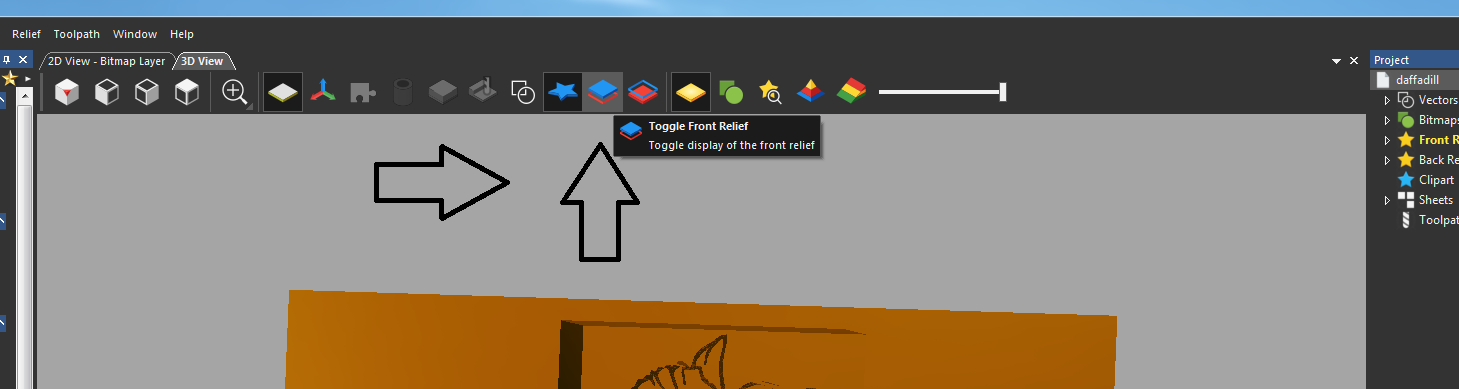
Please sign in to leave a comment.