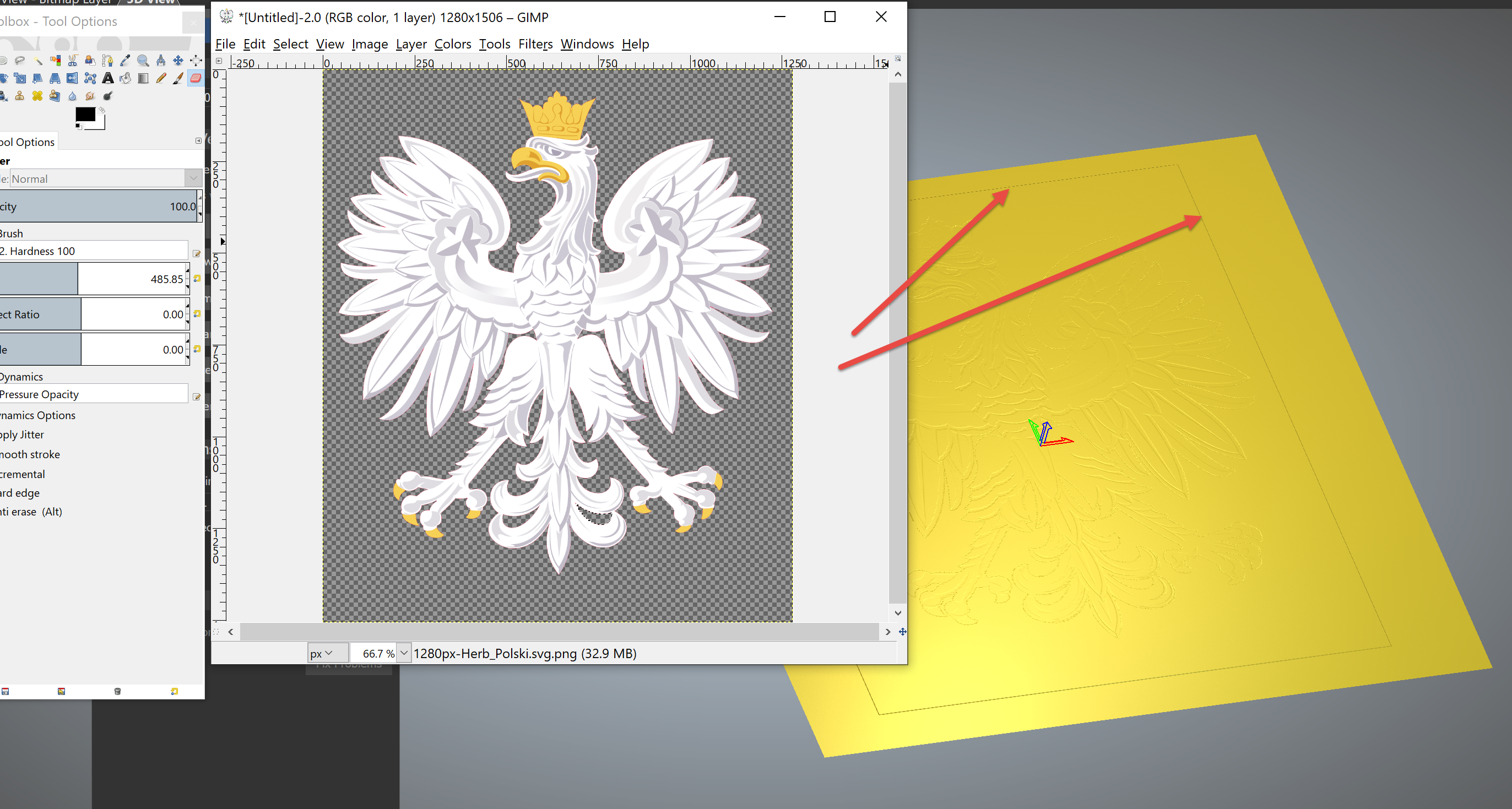
Are you sure that it is a true PNG? Meaning - that the outer most border is not with a black line around it and that the 'checker board' pattern is also not coming in?
You can also work with what you have. Use the Shape Editor (F12) to add or subtract that small border difference in Z by first drawing a rectangle around it, then F12. Raise it up or down as needed. Merge High @ 0 to flush anything in the negative Z.

Comments
Hi Michael,
Have you tried resizing the image file prior to bringing it into Carveco Maker?
Are you sure that it is a true PNG? Meaning - that the outer most border is not with a black line around it and that the 'checker board' pattern is also not coming in?
You can also work with what you have. Use the Shape Editor (F12) to add or subtract that small border difference in Z by first drawing a rectangle around it, then F12. Raise it up or down as needed. Merge High @ 0 to flush anything in the negative Z.
Please sign in to leave a comment.