Answered
consistent perimeter edge

Hi
I have been trying to figure out how to get a consistent edge on this model, This is a simulation of the tool path as you can see in the screenshot it goes in and out from the background to the model..
Bill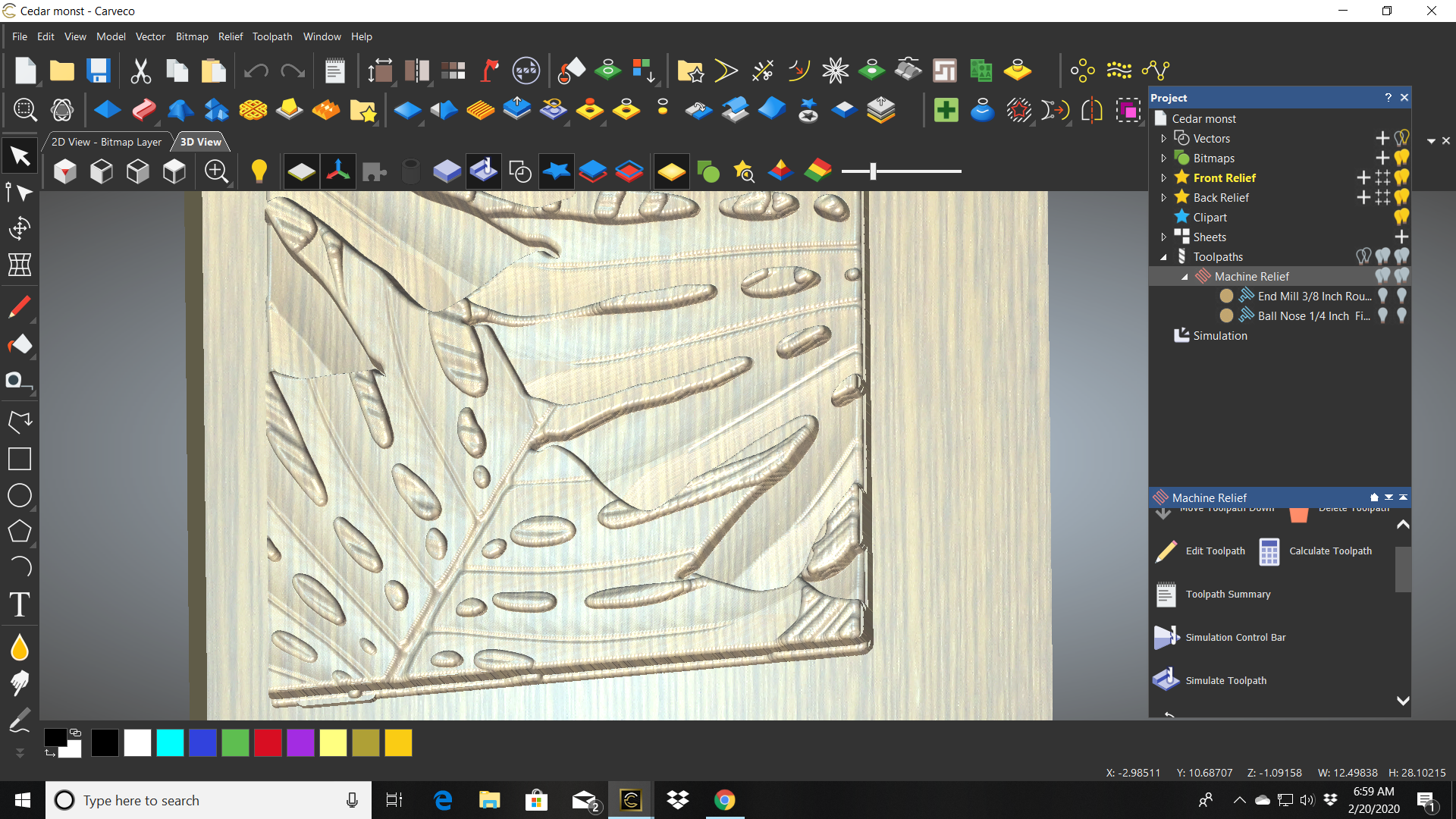
Comments
I figured it out, added a perimeter height, that solved it
Bill
I have tool path question, That perimeter edge I was speaking of, is it possible to cleaning it up after the the relief toolpath. I am using a 22.5 degree raster angle on my finish pass and it leaves tool witness cuts along the edges.
Thanks Bill
Hi Bill, I would suggest that you define a vector a bit inside of your outside perimeter vector and then select both vectors and run an "Offset (classic)" tool-path inside these selected vectors. This should clean the tool-marks away. If you still have a problem with the marks (you should not) let me know and I will suggest an additional strategy.
The reason this will work is that the cutter/tool will follow the vectors in a spiral motion rather than going back and forth from vector edge to vector edge. You want to make the inside vector not too far inside of the perimeter vector as this will increase machining time needlessly. I would be more specific but I am a jeweler and my tools are way smaller than the ones you are using but I use this strategy to get rid of tool-marks on the outside of my models.
Thanks, That strategy was just what I was thinking, will try. Thanks for the reply
Bill
Please sign in to leave a comment.