Answered
Problem opening legacy file in new update

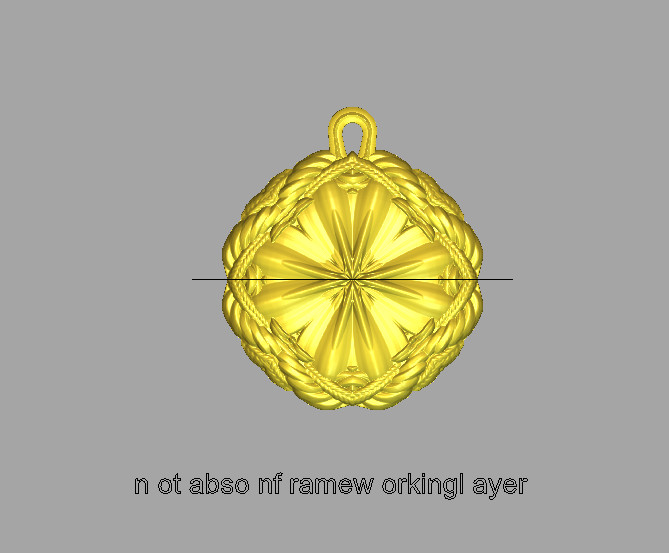
I have found a problem with opening an art file created with 2012 but opened in the updated Carveco. As you can see from the attached the text vectors in Carveco (2nd image) are messed up. If these are messed up its reasonable to suspect other vectors could be messed up as well. Bug? Any thoughts or similar experiences?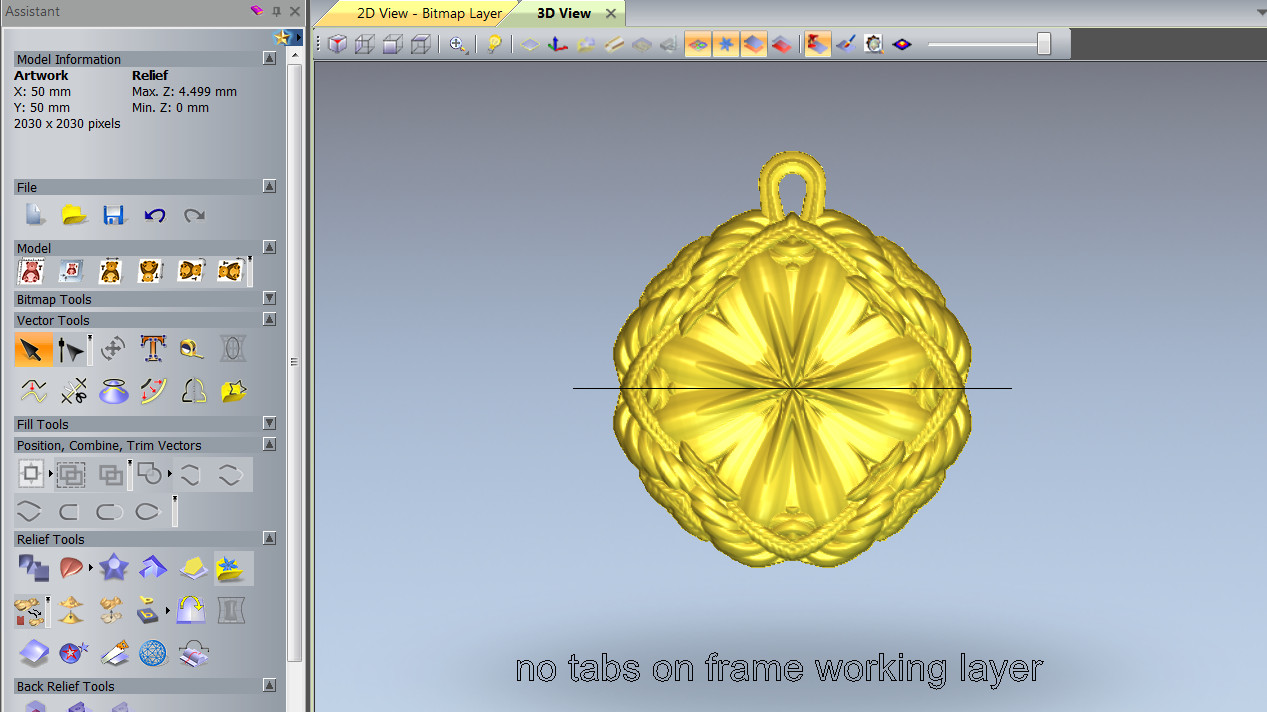
Comments
using window 7 or 10?
I have tried opining a file I did in 2010 it came out the same in both Artcam and Carveco using window 7
the file had a lot of raised words,nothing like yours. I opened a cabinet file I did in 2008 no change to cabinet shape, but then I didn't have any words that were not assigned a raised shape.
You inspired me to take a look, might have to see all of them that I made years ago paying attention, more than I usually do.But so far so good. might have been a fluke?
Thanks Barry
mike
Hi Mike, I am using Win 7. I am glad to hear that you are not having issues with your vectors or opening files. Thanks for testing.
Barry, I have to ask if the original file you used a downloaded font that is not on your current computer?
Gary
No Gary, I used the font that was provided by AC. All I was doing was making a note to myself that there were no tabs on the frame (which is why there is no modeling of the text). And it is the current computer that was used to create the file.
This reported issue was escalated to a support request by Carveco Support. For the benefit of others, here is what we've determined using the supplied ArtCAM Model file (*.art).
When opening the file in ArtCAM JewelSmith 2015.SP4 (64-bit build 339), ArtCAM JewelSmith 2015 R2.SP3 (64-bit build 860), Autodesk ArtCAM Premium 2017 Service Pack 6 (build 273), Autodesk ArtCAM Premium 2018 (Version: 2018.2.1 Build: 2018-01-24-1433-35b6f7e11) and Carveco (Version: 1.6 Build: 2019-07-30-1604-b28285f7), we encounter the same result with the vector text shown in the posted screenshot.
When opening the file in ArtCAM JewelSmith 2012.SP2 (64-bit build 359) or ArtCAM JewelSmith 2013.SP4 (64-bit build 303), we do not encounter the same issue with the vector text shown in the posted screenshot. In all cases, we note that the font used to create the vector text is the Windows Arial TrueType font, and the text is sized 6 points.
This indicates that a potential change in ArtCAM caused an issue with handling vector text rather than a defect introduced in Carveco (Version: 1.6 Build: 2019-07-30-1604-b28285f7). We suspect this vector text anomaly might be a consequence of when the separate Create Vector Text and Wrap text around a curve tools were consolidated in the ArtCAM 2015 product range release.
It is easy to correct the vector text in the file by editing it using the Create Vector Text tool in Carveco (Version: 1.6 Build: 2019-07-30-1604-b28285f7).
that is totally interesting, cool in the release of this information............
Thank you Support!!
mike
Please sign in to leave a comment.