rotate copy

Hi
In the screen shot, I have a 18" diameter .75" width centered are a number of .125 circles, what I would like to do is increase the radius to say 20" but keep the .75 width and the .125 circles in diameter and number but have the spacing increase with the expanded diameter. I also want to do this in the opposite direction reducing the radius. Just as a explanation, playing with a bird cage idea these are rings that a bamboo rod would go thru.
Is there a tool or an idea to accomplish this with out a lot of fussing
Thanks Bill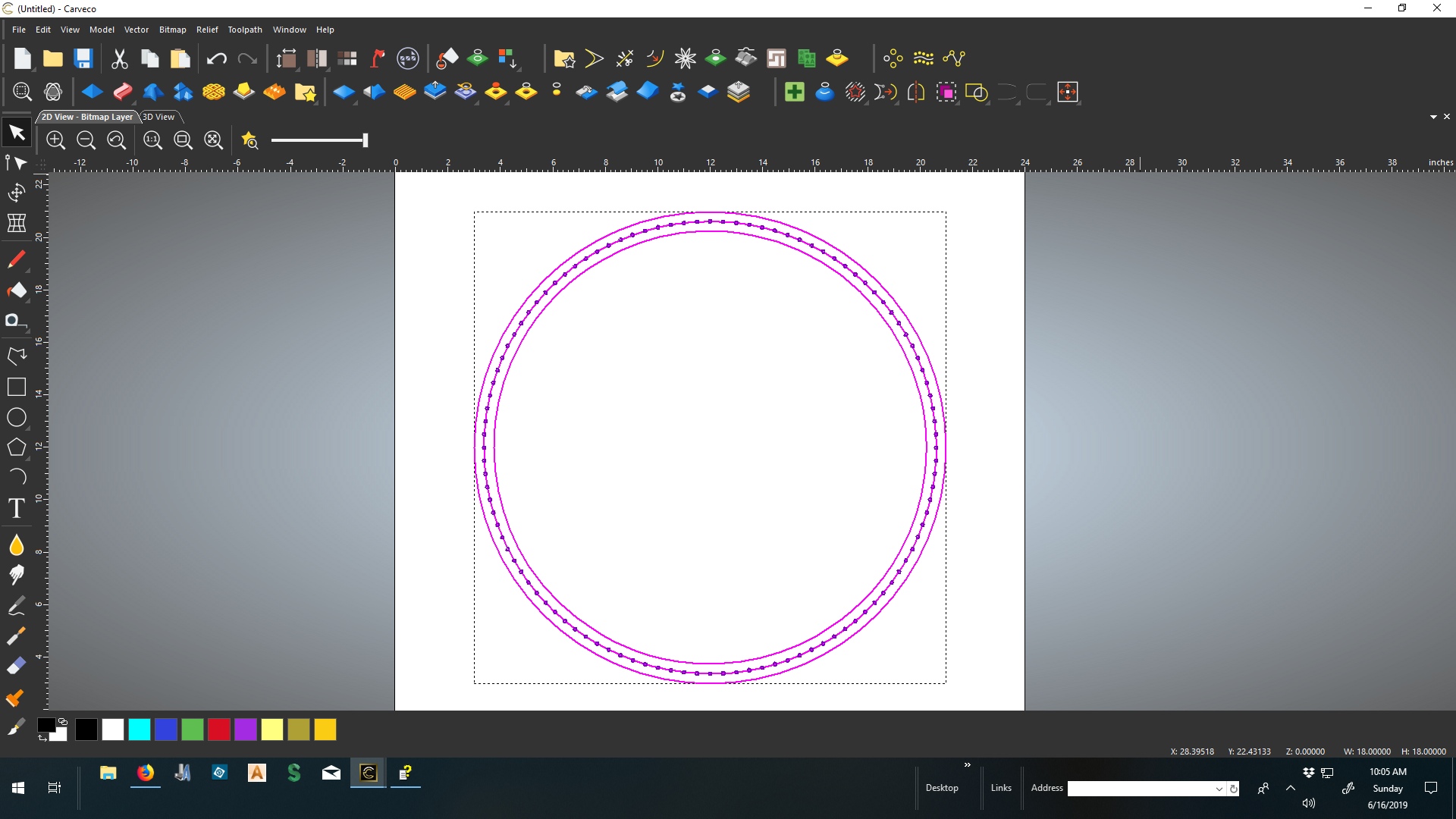
Comments
grab hold of outside vector use transform vector tool increase size, then do the same for the smaller one. easy peasy.
OH, make sure you have keep aspect ratio locked, doing this will keep you from getting an oblong vector esp. if you want it round.
mike
Thanks Mike
Will try, thought that to keep all my 1/8" circles in the center 1/8" I would need to do it a different way
Bill
Hi
That doesn't work, I am trying to keep all my .125" holes in line from the center. been using a center measurement for each of the diameters but only got the larger diameter in line, smaller one is more fussy
Bill
here is a screen shot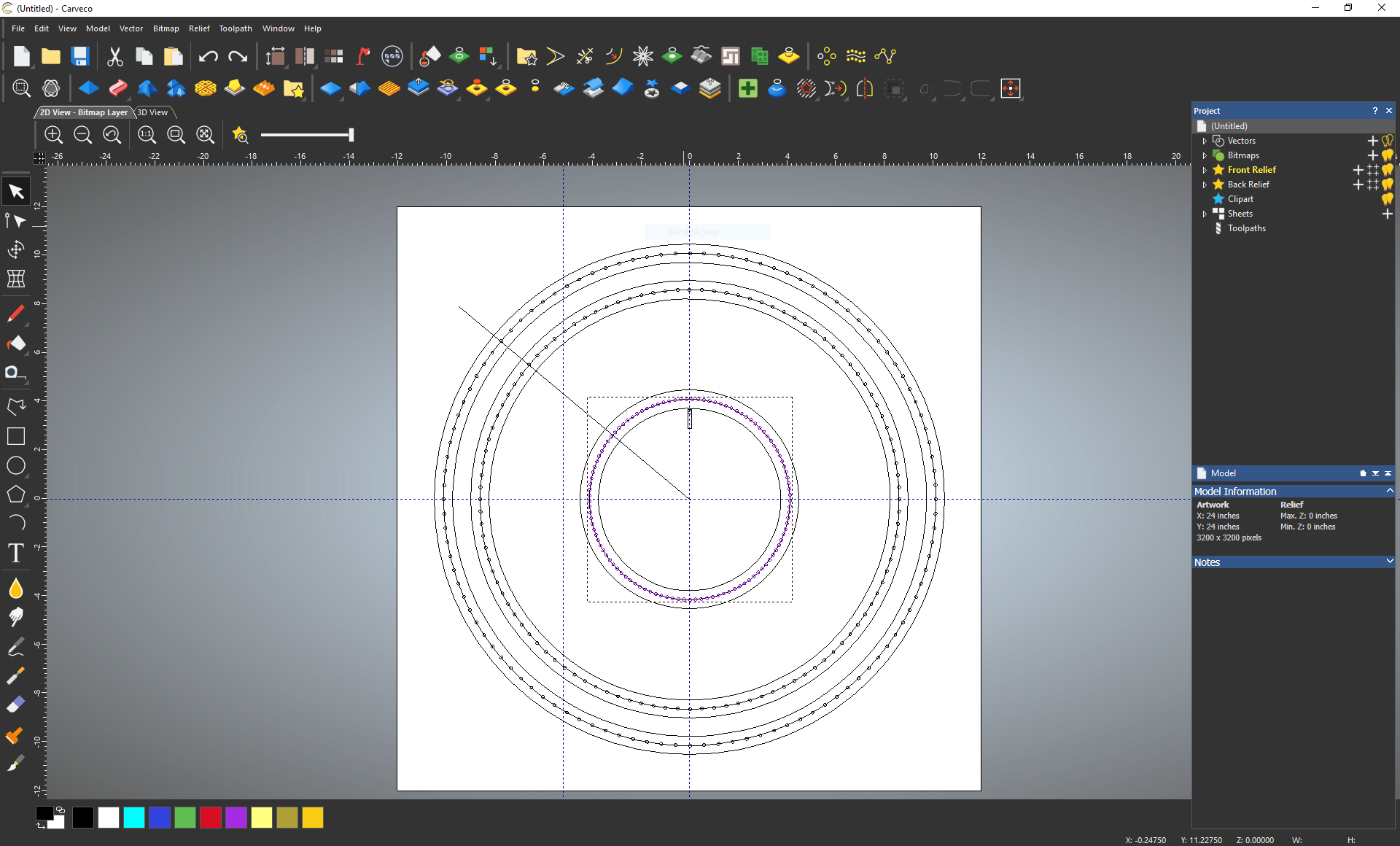
mike
ps If you are wanting a photo (here), or even the file I can do that just let me know where to send it.
You might find 'Copy along vector' to be helpful here too. Rather than Rotate/Copy, you can select a centerline vector, then a circle, copy along the path and if you have to 'clock' the entire group, just select them all and rotate with the Transform tool.
Hi
Thanks to you both, these are new tools for me and this is a good exercise to learn their function. Brady will try that also.
Thanks will let you know of my progress
Bill
Please sign in to leave a comment.