Answered
Printing

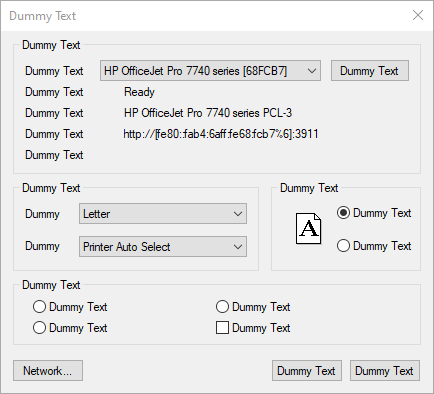
I could do this in artcam, but it doesn't work in carveco. When I'm done creating all my vectors, I like to print it and take it to the machine. But when I go to print, I get a dialog box that just says dummy text wherever there should be normal text. I hit what I assume is print (based off printing dialog boxes on other programs), but all i get from the 2D view is a blank page.
Is this a compatibility issue with my OS, or do I need to adjust something in carveco? The below picture is the dialog box, and what I should be seeing when I print my vectors.

Comments
Hi Paul,
Our Development team is already investigating this defect (issue CD-331 for your reference). We'll be sure to keep you updated on any progress towards a solution.
Thanks in advance for your understanding and patience.
Please sign in to leave a comment.