Profile Cut in Simulation = Jagged Lines!

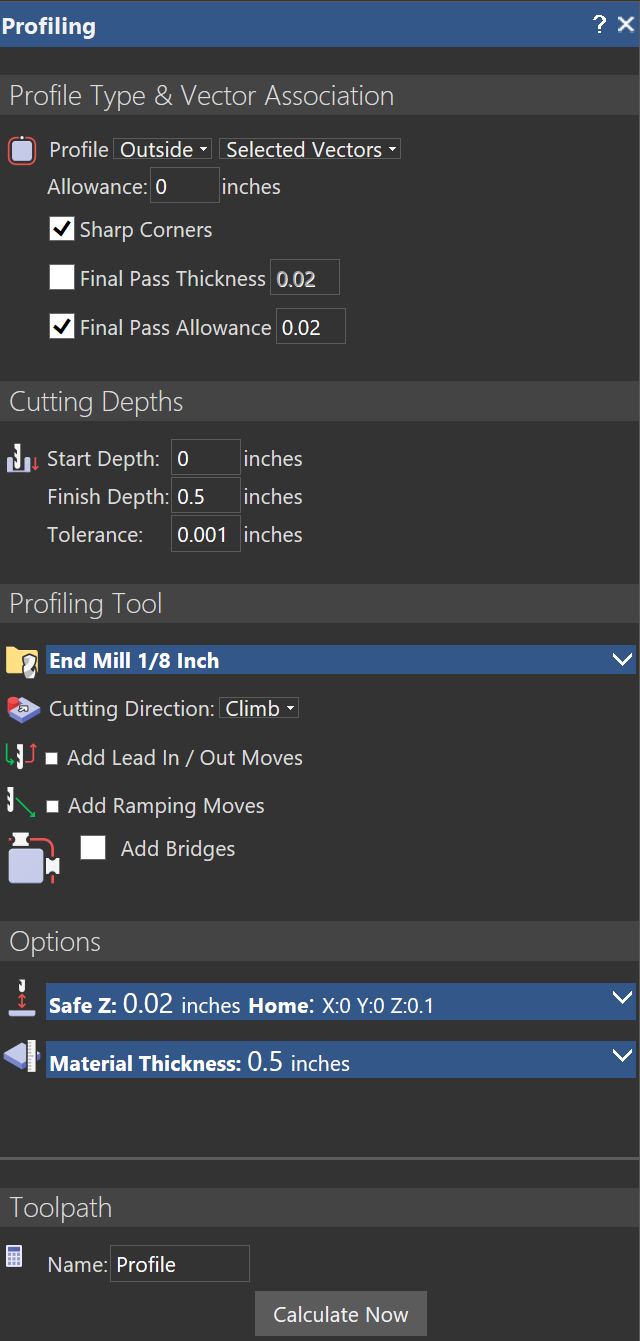
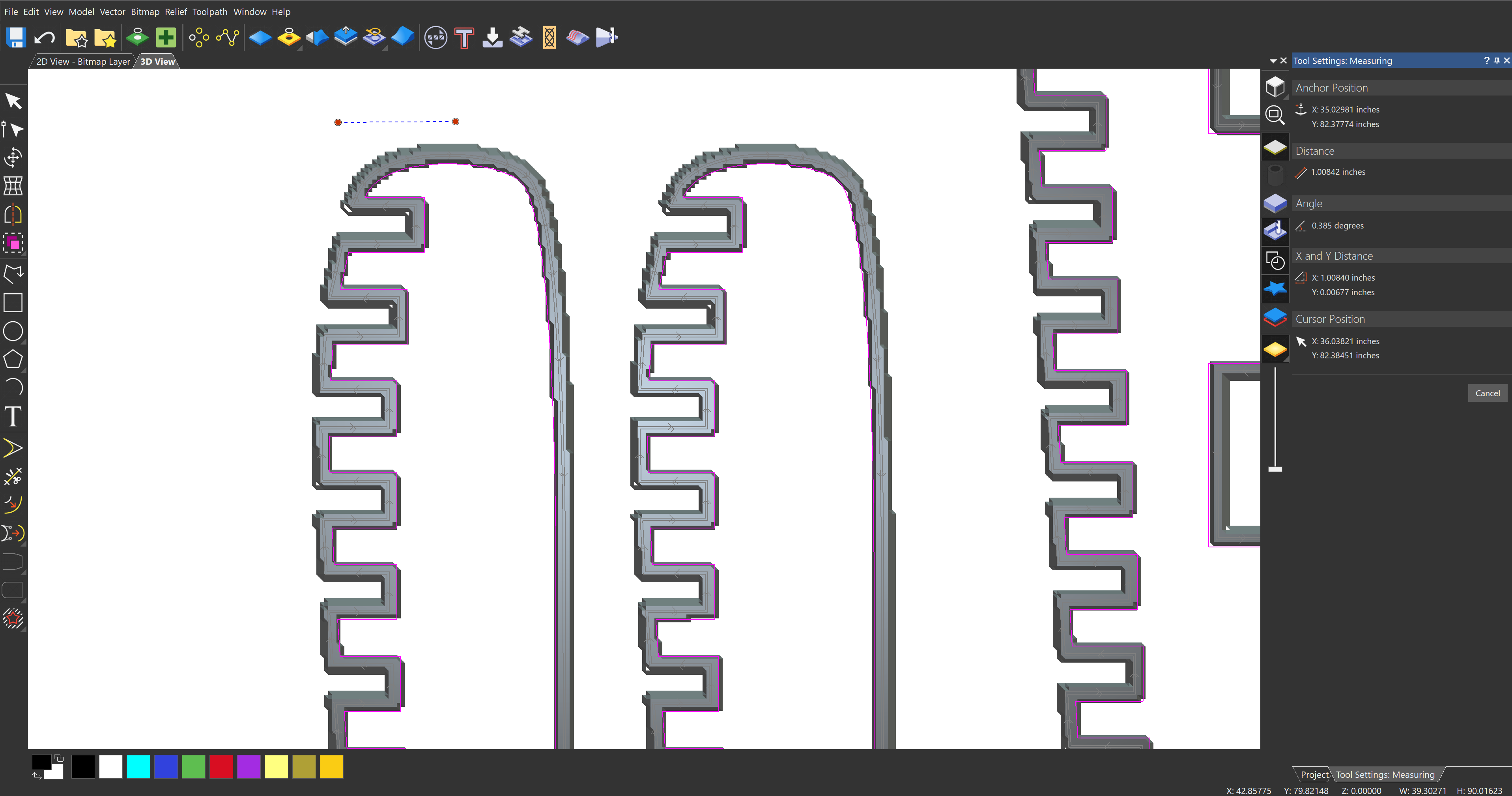
Hi, I have a simple DXF in Carveco Maker and I am doing a profile cut with 1/8" endmill. The lines where the tool cuts are so jagged. The resolution is maxed out, and the tolerance is a .001". My computer is pretty good, and screen is 2K resolution so not sure why this is happening. I think I remember a few years ago I did not have to deal with this! How can I get smooth continuous lines in my simulation, particularly with profile cuts. Any help would be very much appreciated.

Comments
Hi Brandon,
I'm not an expert when it comes to toolpaths.. but maybe it's just the screen's resolution. Have you tried to machine this? Do you actually get this outcome?
The other thing I'd try is to lower the tolerance at 0.0001". Personally, I use this very low tolerance when creating a mesh (STL export) and the model is in inches.
Hope that helps.. or that someone more expert than me replies soon :)
Elina.
You can be sure that this is only simulation view. When you cut the part, you will get what your vector has with the defined toolpath tolerance. Even higher resulations, there is always similar views we do get but with very small pixels.
Please sign in to leave a comment.