3d View Window

My 3d View window is 1/4 the size of the 2d View window. I can't seem to figure out how to resize it. Can anyone help?.
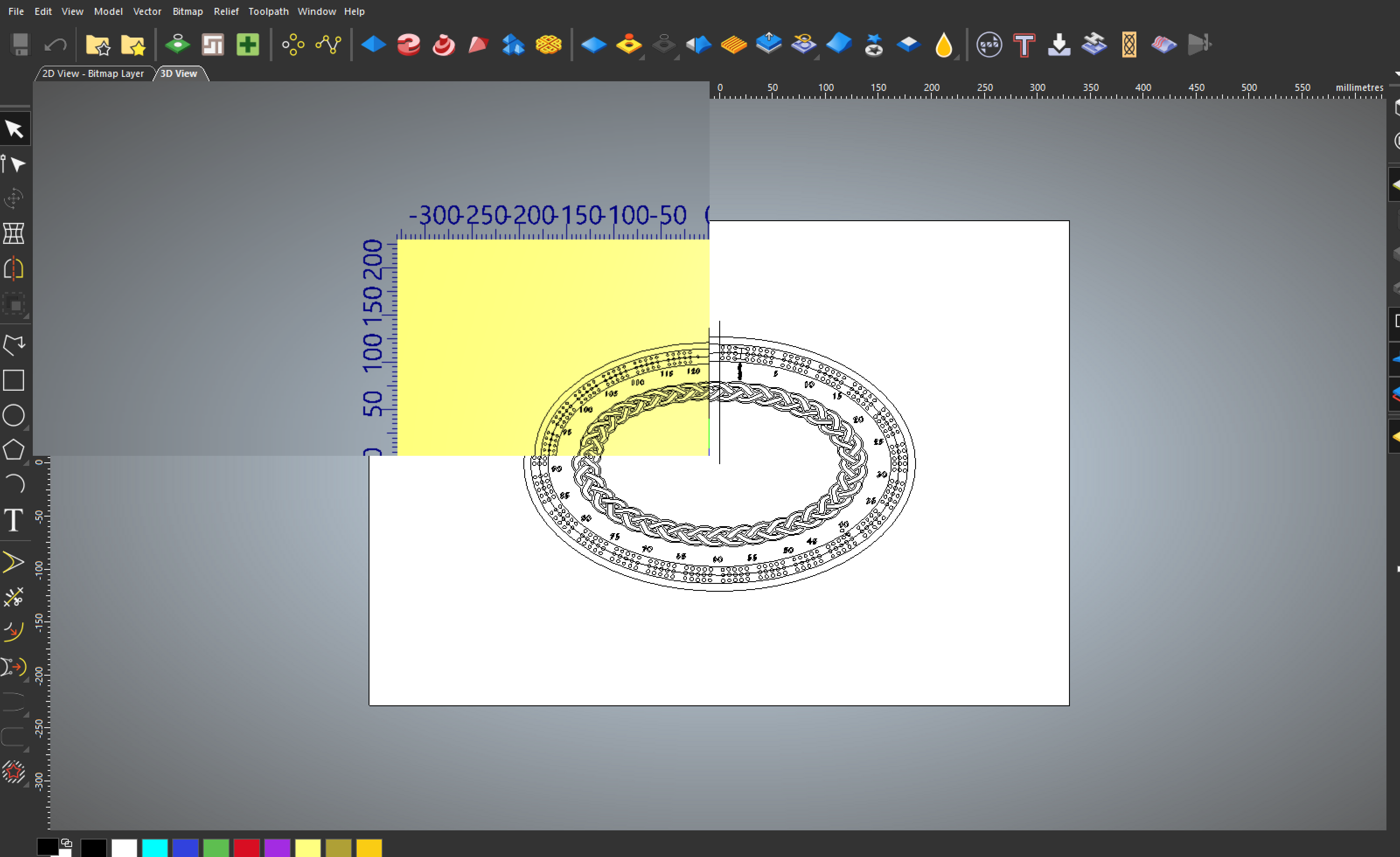
My 3d View window is 1/4 the size of the 2d View window. I can't seem to figure out how to resize it. Can anyone help?.
Comments
Hi Kevin,
What happened there?! This is not supposed to be an option, as far as I know... does this happen to this file only, or generally?
Did you try to switch various View options on/off, in case it fixes the problem? If nothing works, maybe it'd be best to uninstall and install Carveco from scratch...
Let us know how that goes!
Elina.
Kevin,
What video card do you have in your computer?
I had a few crashes here lately, absolutely frustrating, out of curiosity when was the last time you up-dated the video drivers on your pc? After my last crash I did a full scan of my pc, I did a sfc /scannow, then I did a driver up-date to my video card drivers, the scan found errors and corrected them, my video card driver was way out of date and with the stuff widows is updating it screws up all the drivers everywhere on the computer. Do a search for up-dated drivers for your video card and install it, then have windows fix itself by doing that scan. If the problem proceeds in being a pain contact "Support" They are great people.
I have never seen what you showed of your screenshot.
You can "Tile your view either vertically or horizontally, you do that by going to the menu bar to "Window" then go to the appropriate word then click it and it"ll change right away.
Oh I forgot one more thing, what is your windows resolution, is it like 4k or what ever they call it, mine is 1920x1080, you might have a small conflict there also.
mike
ps. My computer hasn't crashed and burned since I did the scan and I up-dated my video card, so I am assuming that was the trick.
Please sign in to leave a comment.