Surfacing Path Didn't Clear All

Hey everyone,
I added the Whiteside 2.5" surfacing bit, and added all the specs as per Whiteside's info.
- Stepover 1.25000 inches
- Stepdown 0.05000 inches
- Spindle Speed 14000 rpm
- Feed Rate 100.00000 inch/min
- Plunge Rate 2.00000 inch/min
I then drew a square for my surface of 48.125"x48.5" and then:
- created a "Clearance Toolpath" using the square
- added the above bit
- set it to "Offset" for the "Tool Clearance Strategy"
When I ran the path all of the paths worked well except for the very middle where it left a very small rectangle of 7/32" x 19/32".
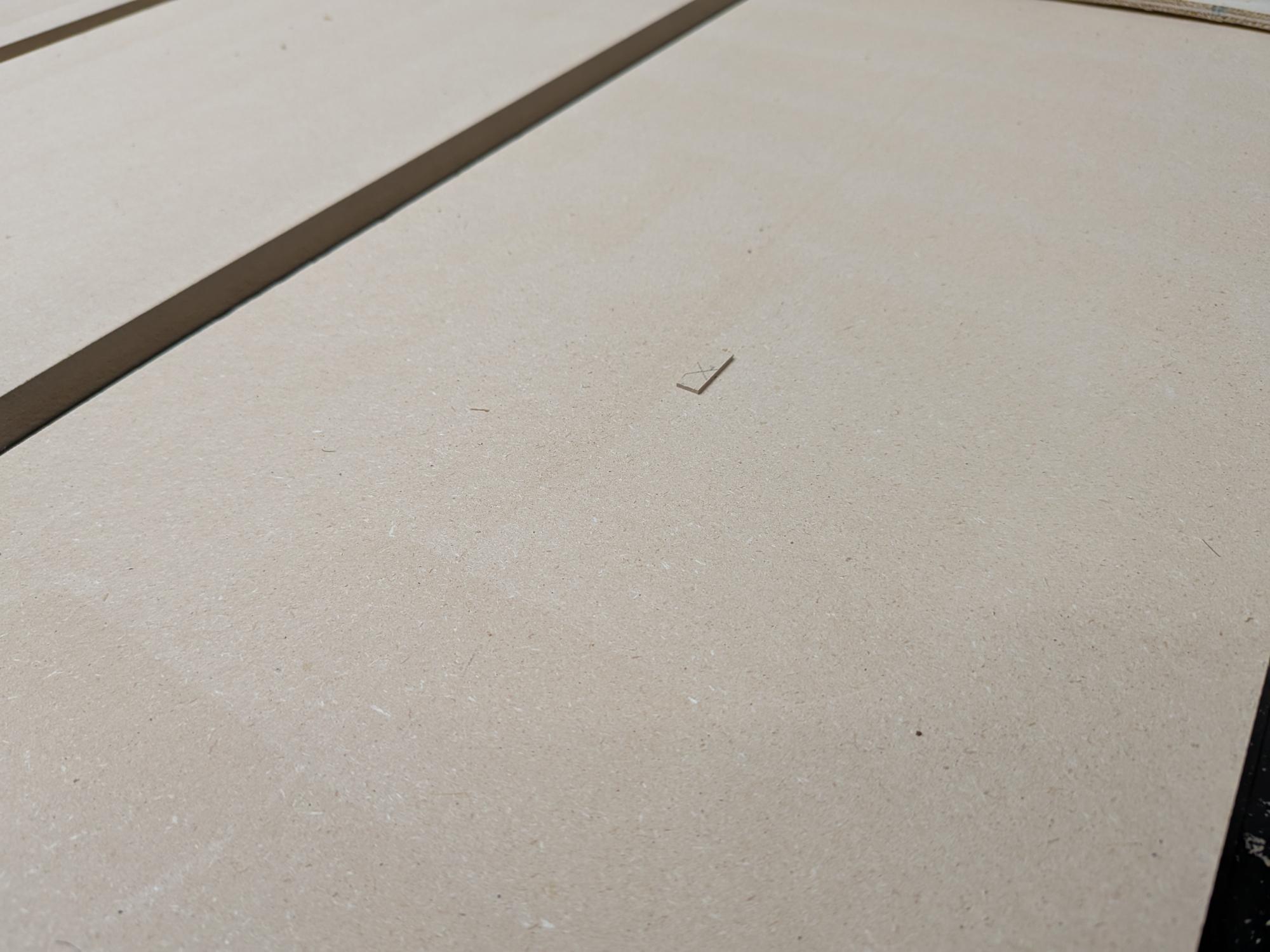
Any help with why this is happening, or how I can fix it would be much appreciated.
Thank you,
Gery
Comments
Gery,
It would appear that you have a rectangle in the file, when you select the rectangle to do the area clear did you make a sweeping action selecting everything, Or did you point and click on a single vector? if you used a sweeping action with the mouse there is a good chance there is a small rectangle in the model area. When you verified the toolpath by watching it did the smaller rectangle show up?
I've screwed up some wood and wasted my day running a toolpath that I didn't verify.
mike
Please sign in to leave a comment.