"a toolpath can only contain vectors on the same sheet" erroneous error

Hello,
i'm having quite a bit of an issue assigning toolpath for a big multi-sheet nested project:
1) imported the dxf files of the parts, then assigned a layer per feature: one for 5mm holes, one for 6mm holes (since carveco does not have a way to select specific diameter holes based on a tool diameter), one for outline.
2) Group by part and nest, which result in several sheets, some of them with quantities of same copy.
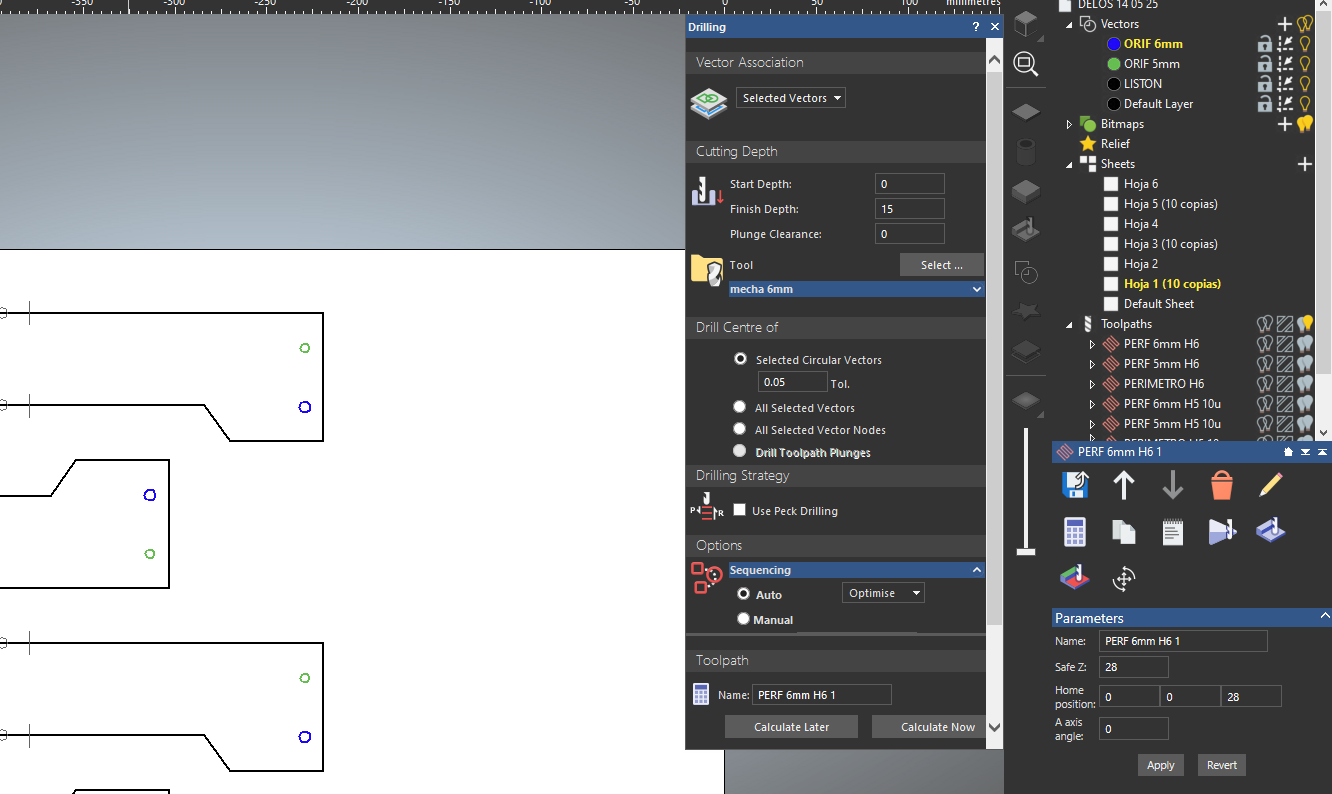
3) I select a sheet, ungroup everything, hide all layers except the one i want (could be 6mm or 5mm only), then select all the vectors on the sheet but when i go to calculate i get that erroneous error.
In fact even if i select a SINGLE hole i get the same error.
4) There are no duplicates or overlapping vectors, there's also something weird with vector doctor, if i select "duplicates" it will mark everything save the 4 holes on the upper right, but if i then delete... the selected vectors are deleted there's no duplicate below
Comments
You selected drill on selected layers.
I had a sheet the other day that had 20 mm holes, 8 mm holes and 12 mm holes, I used a 1/4 inch bit and a profile toolpath (didn't have those sized bits) everything was on the same layer though.
mike
No, i selected drill on SELECTED VECTORS, you can see it on the screen.
We kind of solved this in an ugly way, turns out if you duplicate a toolpath it will give this error, but if you recreate it by hand with every value exactly the same it doesn't give that error so at this point it's clearly a bug
Guillermo,
Sorry, old eyes, tried to enlarge the pics to no avail, I have gotten the same only when I'm not paying attention and just speeding through things.
If you think there's a bug send support the info, they do a great job of fixing things. I think the software has quite a few lines, soooooo.
mike
Please sign in to leave a comment.