Cutting direction not working

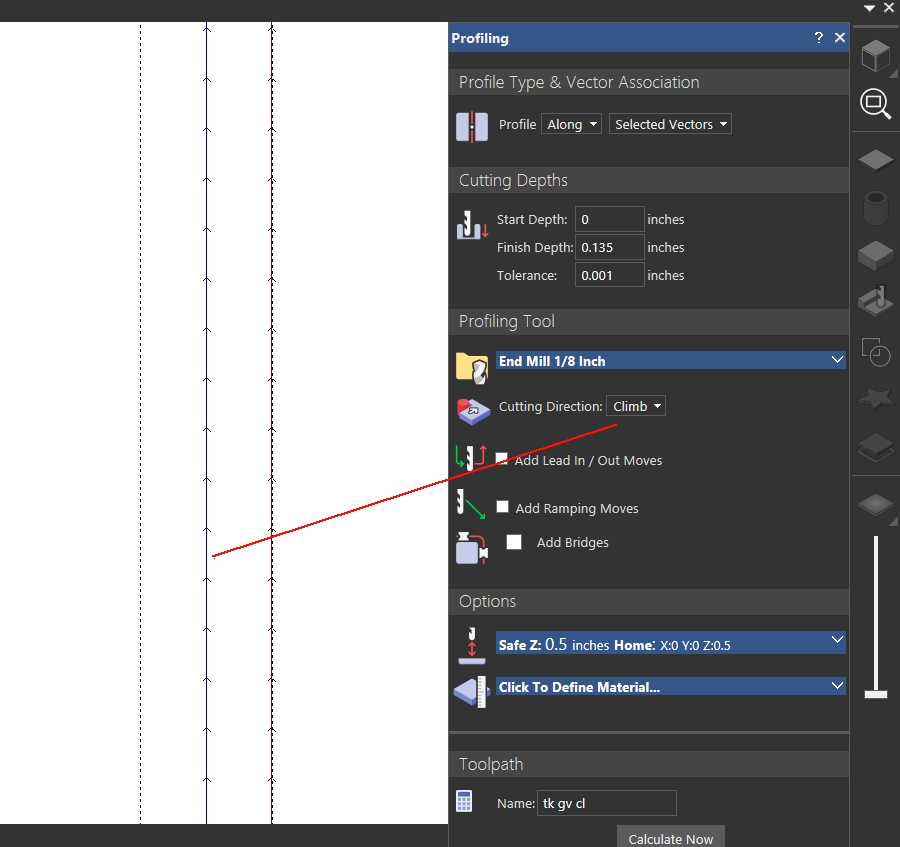
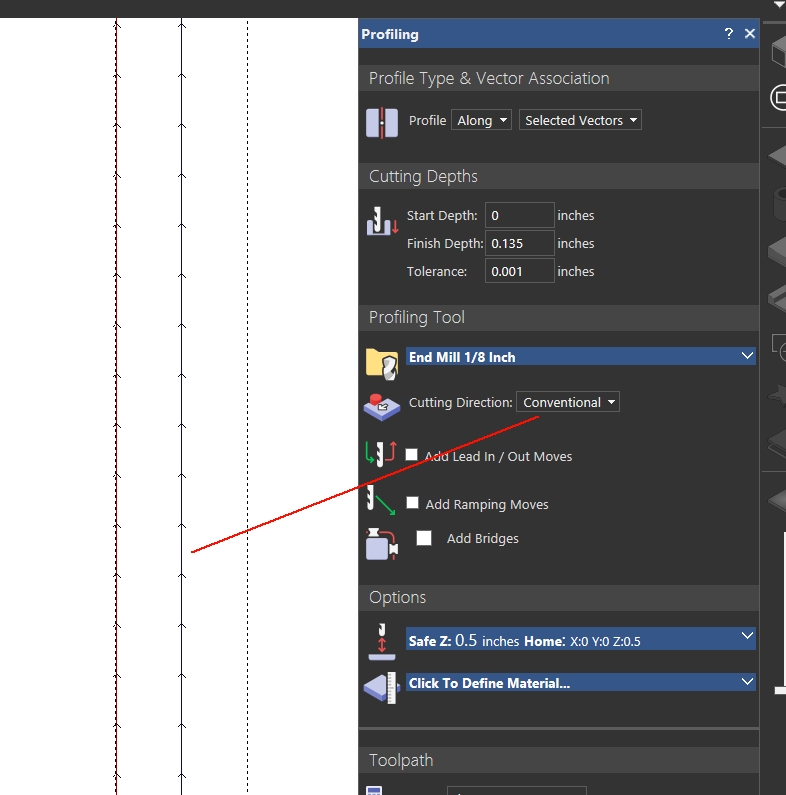
I have 2 separate lines side by side. One I want Climb, the other Conventional. No matter what I choose they both go conventional in direction.
Cutting EVA foam requires a bit run in both directions for a smooth finish. The reason I just bought this software is because my Artcam software is doing the same thing and I thought it was just a flaw with my old software. It wouldn't give me the ability to assign one line 2 codes so I put one layer on top of each other and tried to code the layers differently. NO GO. So then I drew two lines side by side. One coded climb / along one conventional / inside. NO GO. Why isn't it coding the direction I want? This doesn't make any sense at all.
40 years CAD experience and I've been on CNC machines since punch tape and I've never seen a direction command refused.
It's a burr bit. At this point I don't care what direction it wants to go. Been dealing with this for 4 days now. How do I tell it to change bit rotation in Maker or Artcam and I run the same code with 2 different rotations.
Comments
Forgot to add an overall pic. You'll see that I've had to offset all my lines trying to make this work. And, this is a DFX import if that changes anything? I don't think it does because I drew two lines with Maker and it does the same thing.
Been testing all night trying to figure out why?
Found: In Maker the direction that you draw a single line in dictates the starting point for tooling; ie. where conventional or climb originates. There needs to be an option to designate tool direction origin to resolve this problem. There also needs to be an option to turn tooling off as a layer so you have access to the line. This would also require turning off conflict warnings.
Option: Redraw all single lines on my nest files in an additional layer with opposite origin. Import to Maker.
The option above does not work on closed line shapes. Layer on layer fails to change direction - both layers tool in the same direction. The closed lines draw origin should not be dictating cut direction on closed shapes? Coordinate +/- direction from origin or end should be? Clock direction?
Option: Copy and paste Layer on layer for all closed shapes. Polyledit one of those layers and use reverse command on each object because you can't group edit polyline direction. Import to Maker. Fortunately, no grain match is required. (the arrows you see)
You try two different toolpaths, one cutting convectional, the other climb? (This in just your toolpath menu) In your options menu you can change the direction of the toolpath, seems like a lot of extra work, but then I do a lot of different thing to get to what I want to do also. I haven't tried either of these just a thought and a possible direction you could try. Oh in changing vector direction you could always copy and paste your vector on a another layer then rt click your mouse to change the direction, by reverse the babies in the drop down menu. Oh and make sure you highlight the vectors you want to change.
mike
Please sign in to leave a comment.