Answered
Right-click an edited toolpath on this screen, to save as, does not save the edit

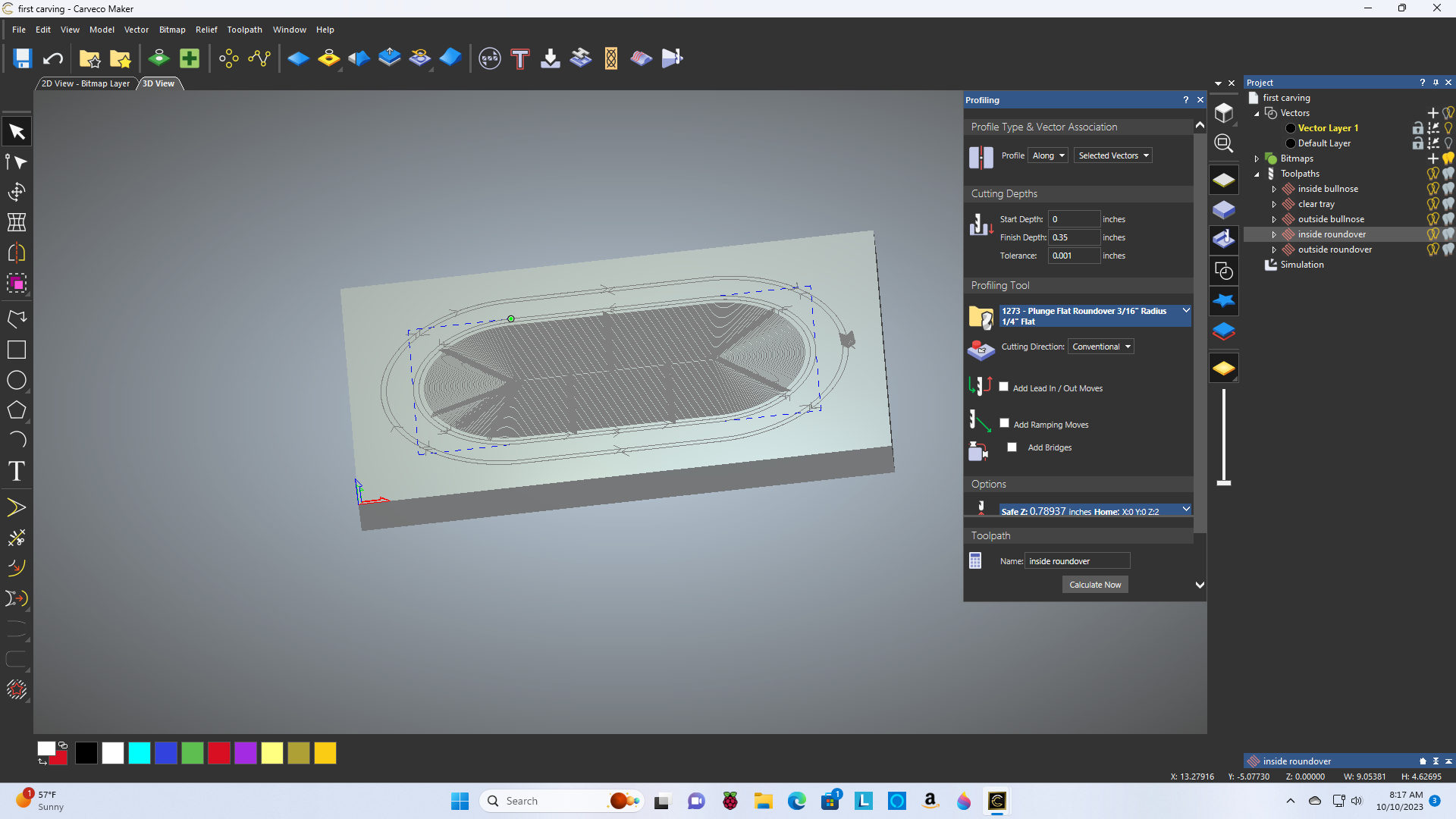
This probably windows fault but I don't know how to fix it.
Also what are the keystrokes to cleanup the work piece after toolpath simulation?
Comments
Hi Roger Oxford,
If you've edited the previously-calculated Profiling toolpath named inside roundover within your first carving.art model file, please ensure that you click the Profiling panel's Calculate Now button after making your changes.
Please click and drag the Project panel's splitter bar upwards to restore the set of context-sensitive tools to the Project panel:
Regarding your toolpath simulation, please watch the following demonstration video available from our Carveco Training portal: Machining Simulation
Thanks for your time and cooperation.
Please sign in to leave a comment.