Answered
Need help moving this starting axis (Green & red). Setting starting point didnt help

Heres what i need to move (See picture). I googled already but i can not find the anwser i am looking for. Setting the starrting point didnt change anything. Please some kind soul help me...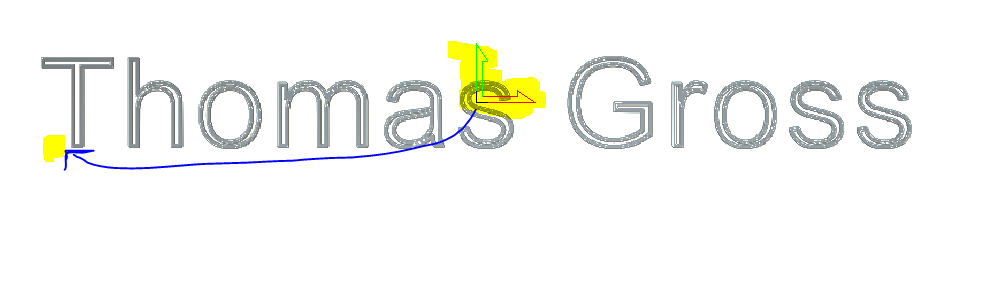
Comments
Hi Julian Gamper,
Select the Model > Set Size menu option in your open model within Carveco Maker to display the Set Model Size dialog, select your new Origin position, and then click OK.
Please ensure that you recalculate your toolpaths after making any changes to the Origin's position.
We recommend that you complete the Carveco Fundamentals training course.
Thanks for your time and consideration.
Please sign in to leave a comment.