Completed
Icons in classic view

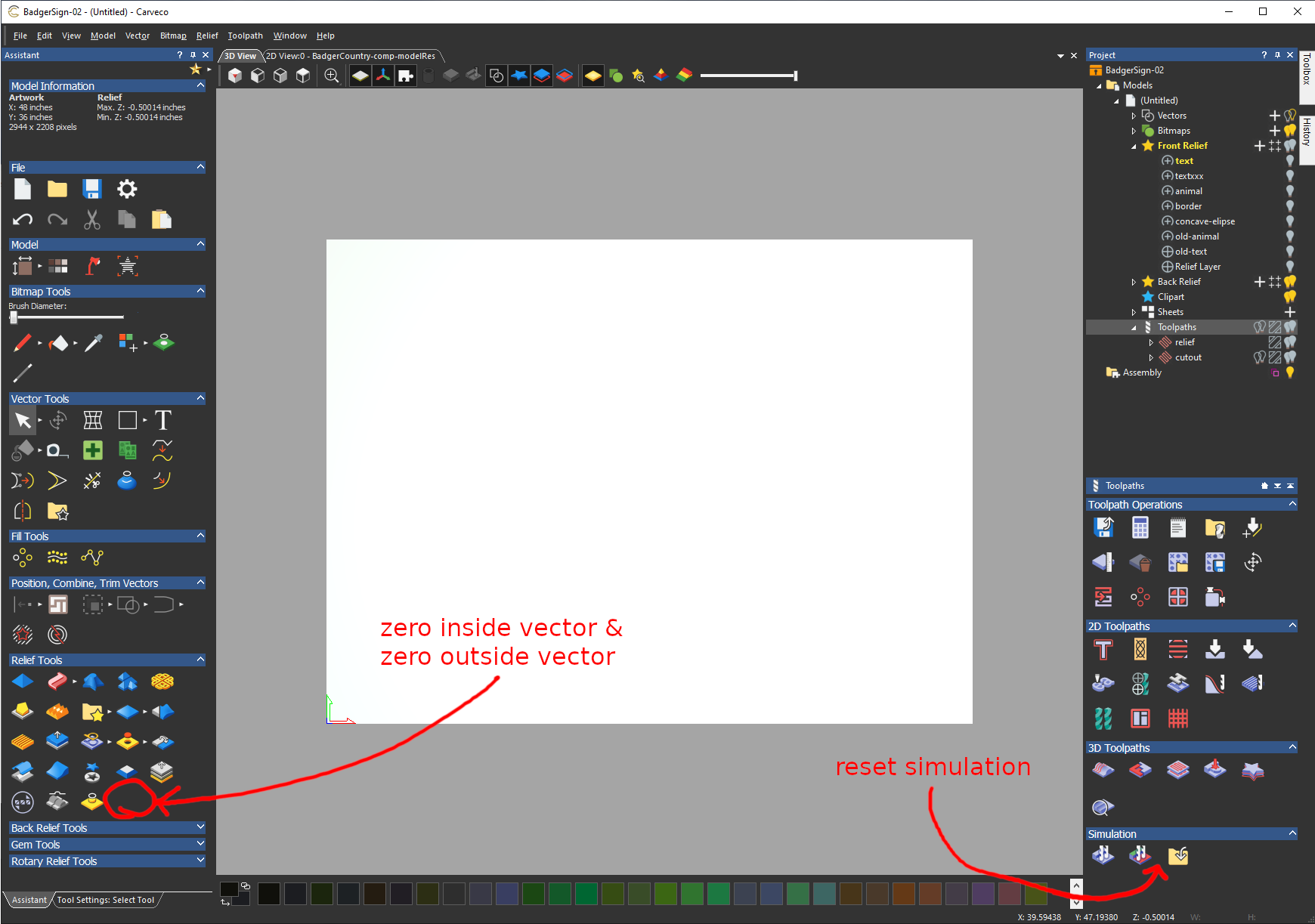
I hope I am not missing something obvious, and am posting this to the right place, but in case I am not the only person still using the "Classic View" layout, I would like to request that a couple of tool-icons be added as shown in the attached image. Thanks!
1) add "zero inside/outside vectors" tool to "relief tools" pallet
2) add "reset simulation" option to "simulation" pallet
Comments
Hi Chris,
Regarding the Reset Simulation button, this is displayed in the Simulation area shown below the Project panel's splitter bar when the Project tree's Simulation item is selected. In order for the Simulation item to be displayed in the Project tree, you must have calculated and simulated a toolpath within your model.
Regarding including the Zero Inside Vector and Zero Outside Vector buttons in the Assistant panel's Relief Tools area, your request has been brought to the attention of the Development team for further consideration.
If you have any further questions regarding your request, please do not hesitate to ask.
Hi Chris,
The Zero Inside Vector and Zero Outside Vector buttons are available to select from the Assistant panel's Relief Tools area when working in Carveco Version: 1.19 Build: 2020-12-08-1108-618acac0 and above. For details, see the Release Notes page of our company website.
If you have any further questions regarding your request, please do not hesitate to ask.
I just love having them set-up to short cut keys ..soo much faster ..unless you love pressing icons
Please sign in to leave a comment.