Answered
Wrap a relief

Hi
I'm looking for some guidance, I half a cylinder 9" width I have 14.13" available to wrap the leaf model, when I use merge high it projects on the cylinder surface but does not use the 14.13" available in the model. is the a better way to project this onto the half cylinder. In the screen shot the outer vector shows the 14.13" perimeter. I saw a wrap vector tool but no explanation in the help section, don't want to wrap a vector in this case anyway.
Thanks Bill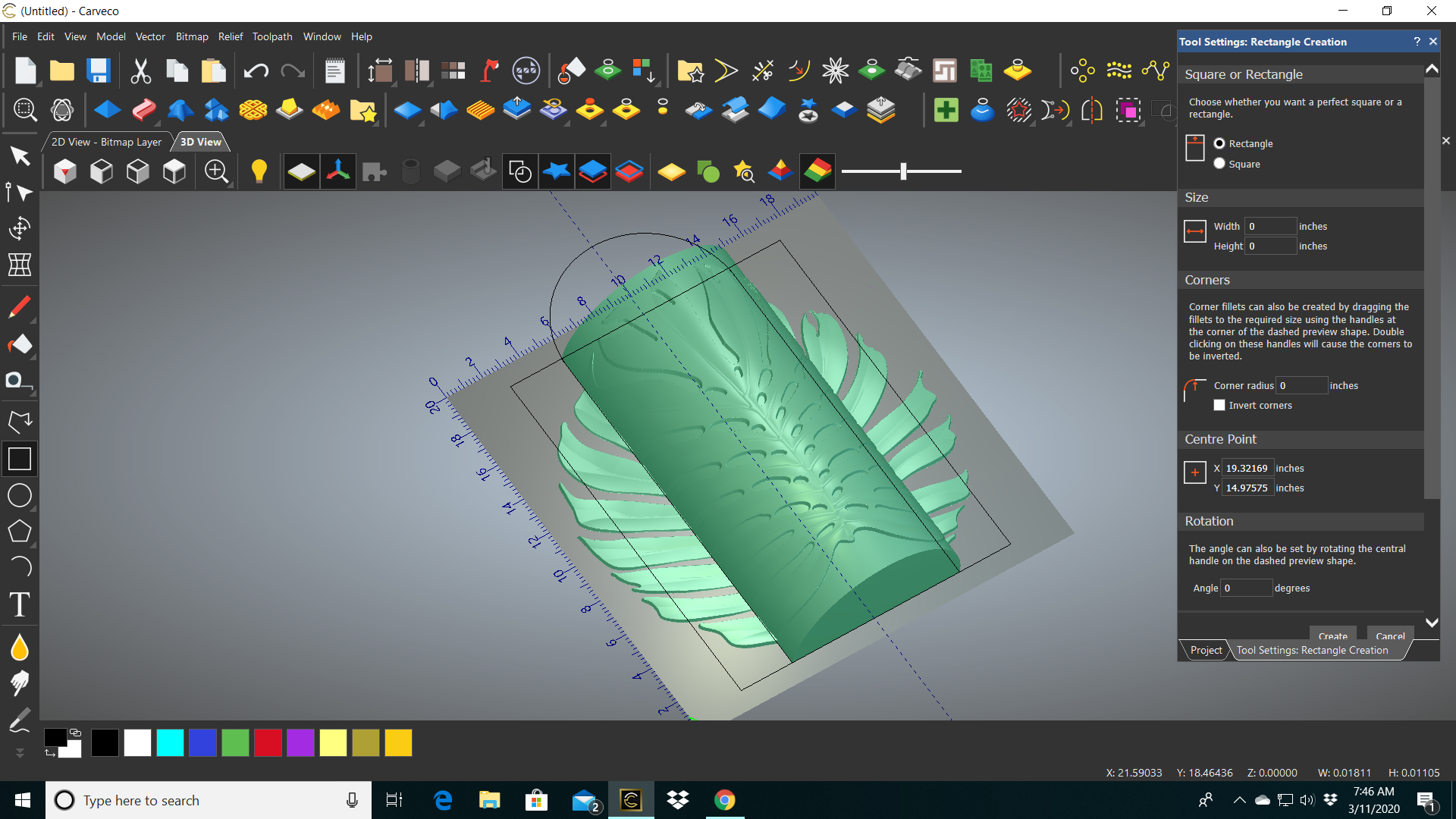
Comments
Hi William,
With your leaf as a floating piece of relief clipart and the Transform tool selected, click the Relief Clipart Paste Options icon at top of the Tool Settings: Transform panel or More Options at the bottom of the panel instead.
Under the Wrap Projection section, choose your required wrap compensation. The relief is then wrapped over the model on the active relief layer, condensing areas so that when it is pasted down, the wrap distortion is minimised.
Thanks
That worked, any other information you can share about the the function of that tool. I see there are a few choices for how it wraps
Thanks Bill
Please sign in to leave a comment.