If I recall correctly, If the file was created in a dongled version of ArtCAM previously, you can only open it in ArtCAM. It's my understanding that there was a utility posted on the Autodesk forum to convert .ART files so you could get around this...I am sure someone else will shed some more light on this or just look on the AD forum. I think it was for v2013-v2015 files IIRC.
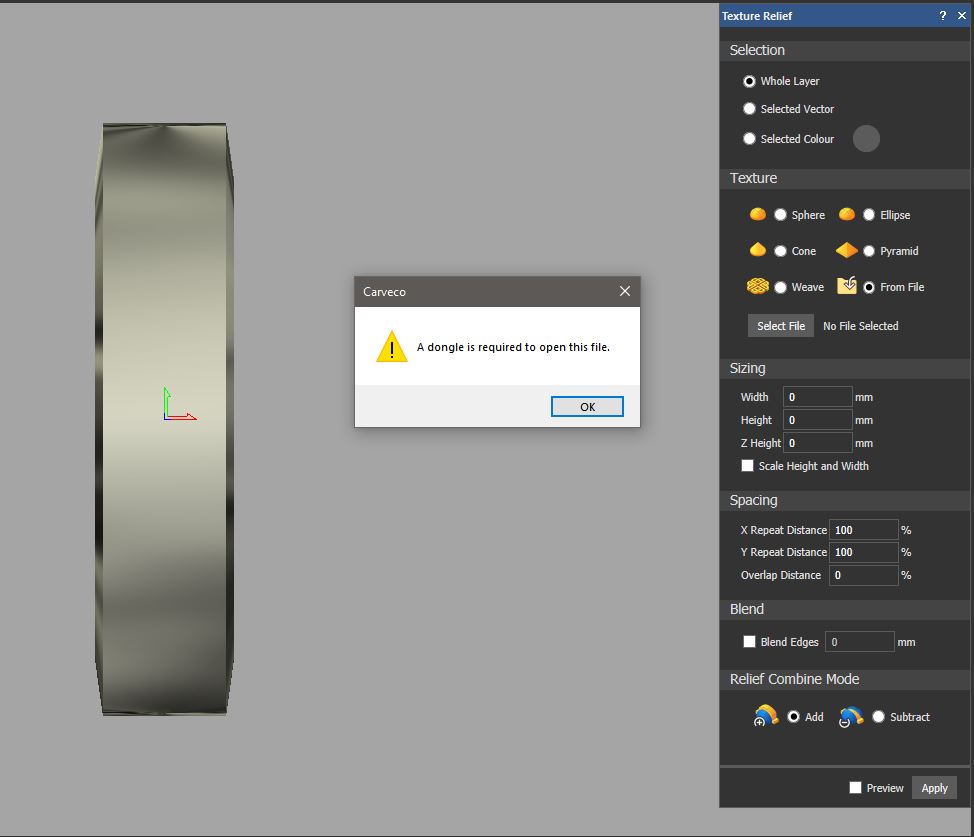
This is a project created in Carveco. Like always, I went to relief, texture, from file and clicked on the slate texture and the dongle thing pops up...tried several times.
Sorry....I don't think I have 'slate' as a texture. Is it a carry over from ArtCAM or was it included with CarveCo? Where is it located in the Windows tree - what folder location? I did a search, but the only slate textures I have that come up are for Rhino.
The slate.rlf file is not part of Carveco's Relief Clipart Library. Therefore, the file must originate from an ArtCAM software installation, or has been created and saved using ArtCAM software. You can use ArtCAM 2015 R2's Batch Convert Reliefs toolbox add-in to convert the file again; it seems as if you've converted it before, as evidenced by the slate.rlf.bak file. Alternatively, please send the slate.rlf file to our Support team and we'll convert the file on your behalf.

Comments
Trying to add a slate texture to this ring.....thought I was untied from the dongle....?
If I recall correctly, If the file was created in a dongled version of ArtCAM previously, you can only open it in ArtCAM. It's my understanding that there was a utility posted on the Autodesk forum to convert .ART files so you could get around this...I am sure someone else will shed some more light on this or just look on the AD forum. I think it was for v2013-v2015 files IIRC.
This is a project created in Carveco. Like always, I went to relief, texture, from file and clicked on the slate texture and the dongle thing pops up...tried several times.
....... in Autodesk's Artcam I can texture a relief with no dongle....
What file format are you trying to pull in - v9 RLF, RLF or SRF ?
Trying to dupe the issue here...
Opening up the actual texture folder, the files look like this. They all seem to work except the slate....
Sorry....I don't think I have 'slate' as a texture. Is it a carry over from ArtCAM or was it included with CarveCo? Where is it located in the Windows tree - what folder location? I did a search, but the only slate textures I have that come up are for Rhino.
The slate.rlf file is not part of Carveco's Relief Clipart Library. Therefore, the file must originate from an ArtCAM software installation, or has been created and saved using ArtCAM software. You can use ArtCAM 2015 R2's Batch Convert Reliefs toolbox add-in to convert the file again; it seems as if you've converted it before, as evidenced by the slate.rlf.bak file. Alternatively, please send the slate.rlf file to our Support team and we'll convert the file on your behalf.
Please sign in to leave a comment.