Halftone Portrait

Hi All,
I might as well kick things off! Here is a halftone portrait I made for my daughter. I used a halftone generator for the holes, and then used Carveco's V-Bit Carving toolpath to vary the depth.
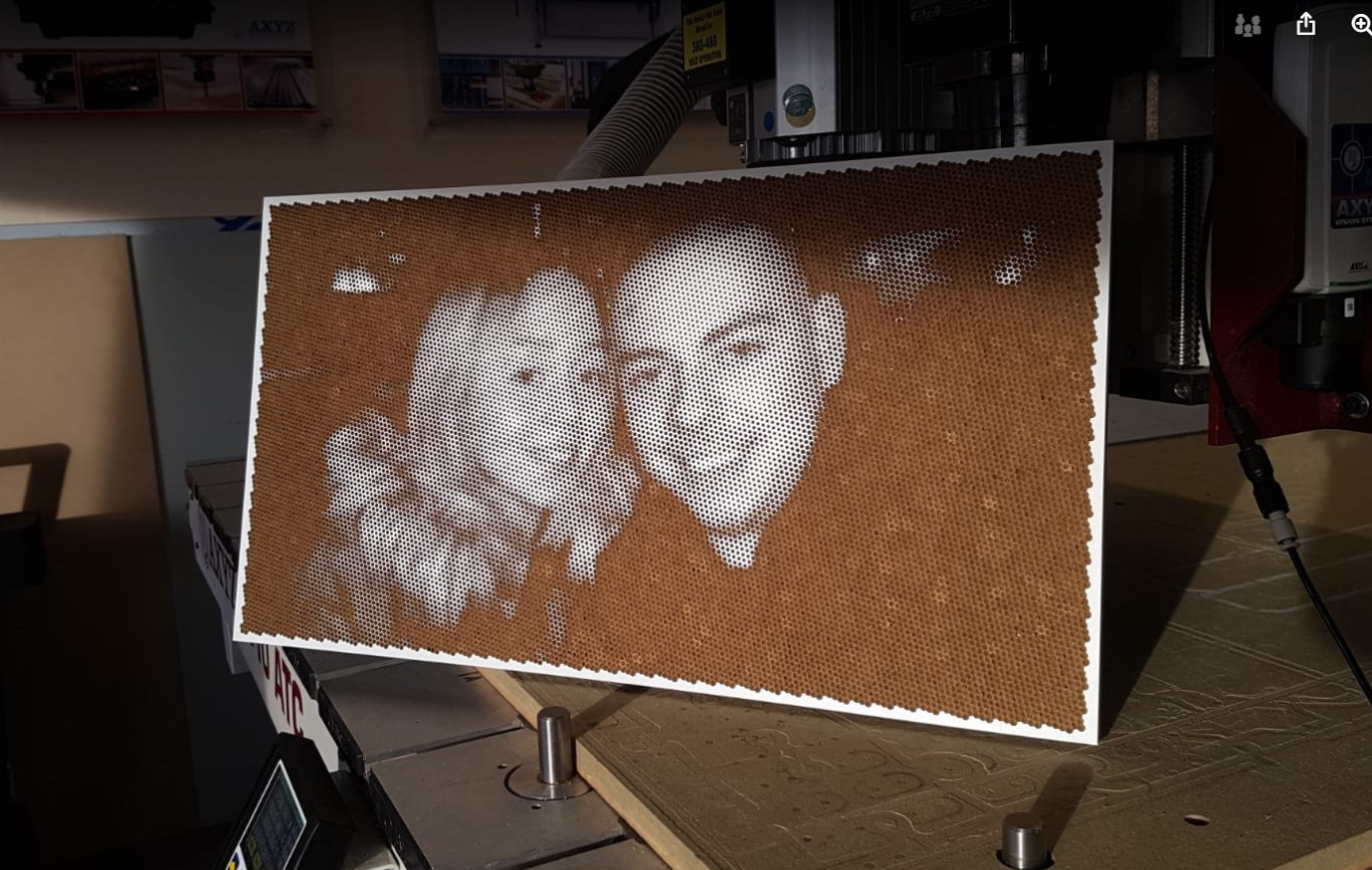
Hi All,
I might as well kick things off! Here is a halftone portrait I made for my daughter. I used a halftone generator for the holes, and then used Carveco's V-Bit Carving toolpath to vary the depth.
Comments
Great job, Leighton!
Would love to know more about how you created that :-)
Its just a whole heap of circles Chris, with varying diameters depending on the colour.
If I were to do one again, I would crop off the right darker area as it generated so many circles (around 20,000 if I recall correctly) and made the machining time a lot longer than it needed to be.
I also had a pop at doing a V-Carved Photo, was quite pleased with the results and it is going somewhere in our house...
Looks good, Leighton. I've never been much of a fan for the v-carve process (not enough control), but yours appears to have turned out well.
Gary
Thanks, Gary. I know what you mean. My main trouble was making sure the V-Bit was calibrated accurately so as to get what I saw in the toolpath simulation.
Here are screenshots showing all of the circles, Chris. I was surprised at how well Carveco handled it, and that the interface didn't lock-up what with so many vectors being involved.
Don't ask how long it took to machine! :)
:) how long did it take to machine? Just kidding.
Please sign in to leave a comment.